Data Menu
Pocket-3D Reference Guide
3-82
Conversion Formats
To create, edit, or delete a conversion format, press Format on the
export to text file dialog box (
Figure 3-121 on page 3-81). The Con-
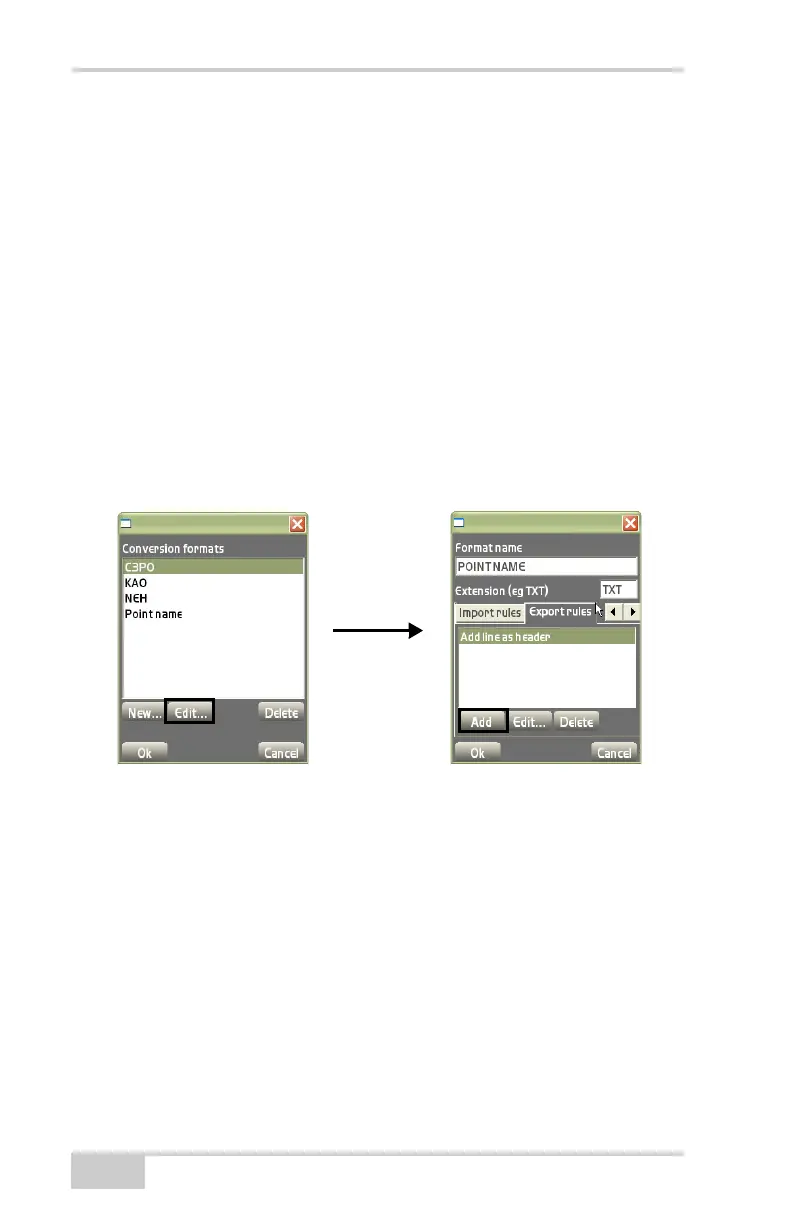
version formats dialog box displays (Figure 3-122). See “Conversion
Formats” on page 3-74 for further details on the following parameters
and dialog boxes.
• New – press to enter a conversion format and it’s respective
information. The conversion formats parameters dialog box
displays to create a new conversion format.
• Edit – press to edit the selected format. The conversion formats
parameters dialog box (
Figure 3-122) displays to enter or select
conversion parameters.
• Delete – press to remove the selected format.
Figure 3-122. Conversion Formats/Conversion Formats Parameters Dialog Box
The Export rules tab on the conversion formats parameters dialog
box (
Figure 3-122) adds, edits, or deletes export rules for the selected
conversion format.
• Add – on the Export rules tab (Figure 3-122), press Add to add
an export rule and it’s respective information (Figure 3-123 on
page 3-83), then press Ok to save the information.
– Rule: Reassign null pt numbers.
– Pt. Num: enter the starting number to assign to the points
with null numbers.



 To Next Page