Installing Pocket-3D
Pocket-3D Reference Guide
1-16
For pop-up context menu options, see “Main Screen” on page 1-6.
Pocket-3D Technical
Information
To view Pocket-3D information, press DisplayAbout Pocket-3D.
The about Pocket-3D dialog box displays the version levels for the
application program, copyright information, registration, and ID
number (
Figure 1-21 on page 1-17).
See “Main Screen” on page 1-6 for viewing options.
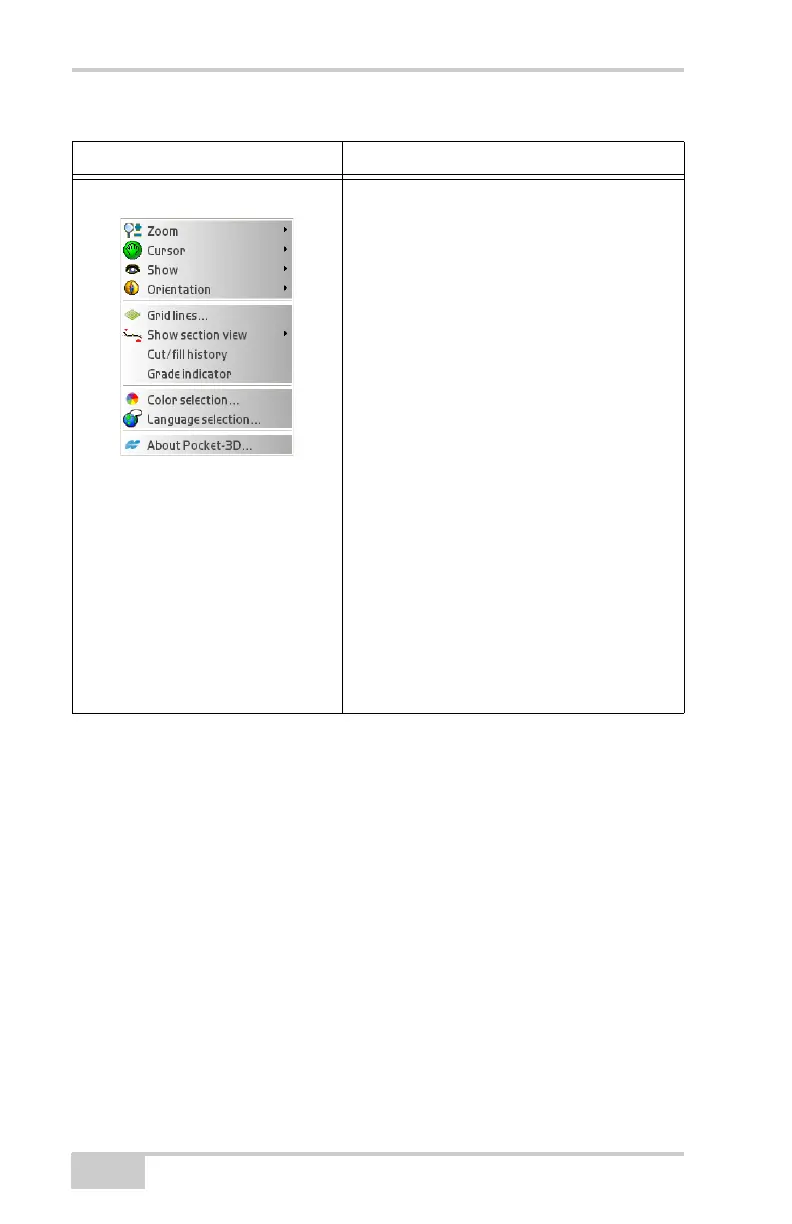
Display Menu The options available in the Display menu
depend on the equipment file selected and the
types of data active.
• zooms in, out, or pans around the main
screen
• selects points and/or polylines individually
or in bunches
• shows the scale bar, the direction of travel,
and/or the point of reference
• orients the screen to a desired direction
• displays, orients, aligns grid lines as
desired
• shows a section view of the design surface
(only available for certain surfaces)
• shows the cut/fill history (available for
mmGPS applications)
• shows the grade indicator when an active
surface displays.
• changes the background color
• selects the language for Pocket-3D on the
next start up of program
• displays the about Pocket-3D dialog box
Table 1-2. Pocket-3D Menu Options (Continued)
Menu Functions



 To Next Page