Surface
P/N 7010-0628
3-39
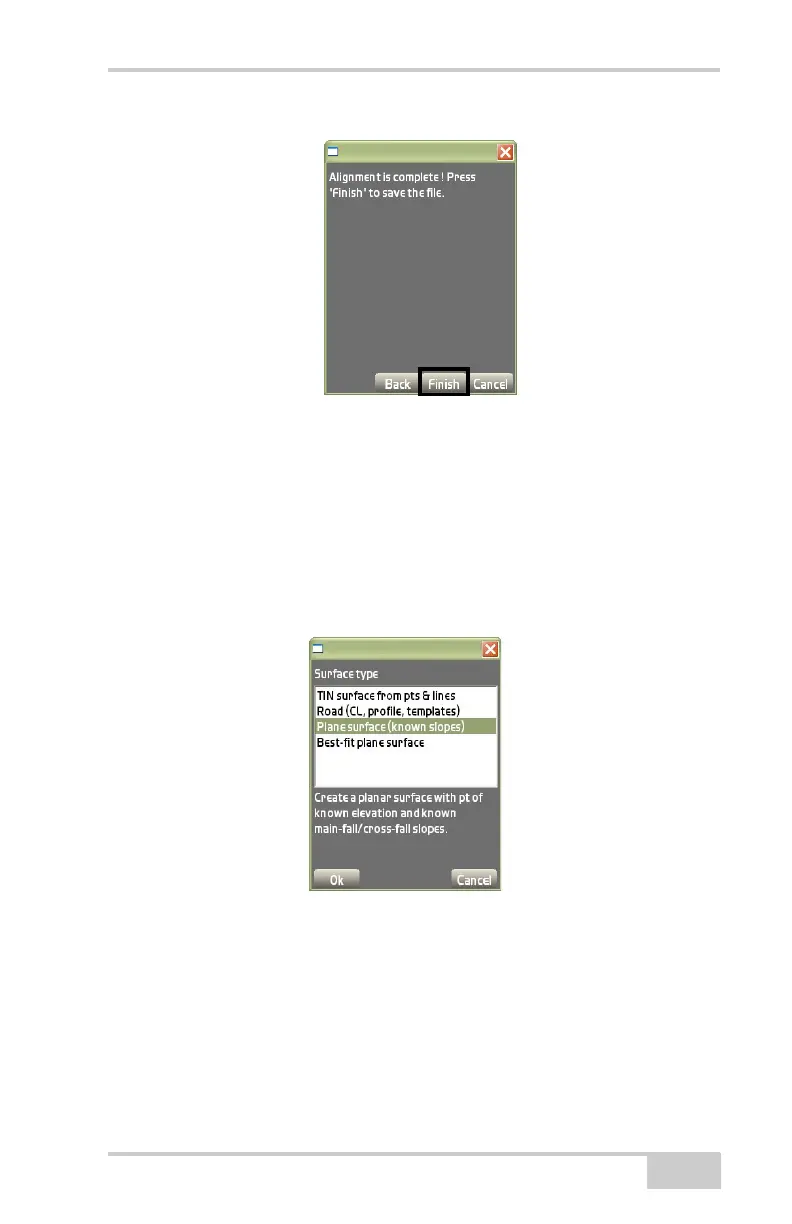
Figure 3-55. Alignment Completion Dialog Box
Plane Surface File
This surface type creates a planar surface with a point of known ele-
vation and known main-fall/cross-fall slopes.
To configure a new plane surface file, press New on the Surface(s)
dialog box. Highlight Plane surface (known slopes) on the Surface
type dialog box, and press Ok (
Figure 3-56).
Figure 3-56. Surface Type Dialog Box – Plane Surface
On the plane surface dialog box, enter or select the following infor-
mation, and press Ok (Figure 3-57 on page 3-40).
• Name – enter the name of the plane surface.
• Point on surface – if connected to an instrument, press Measure
to measure the point; otherwise, manually enter the northing,
easting, and elevation for the point.



 To Next Page