Survey Menu
Pocket-3D Reference Guide
4-4
Topo-shot With Offset
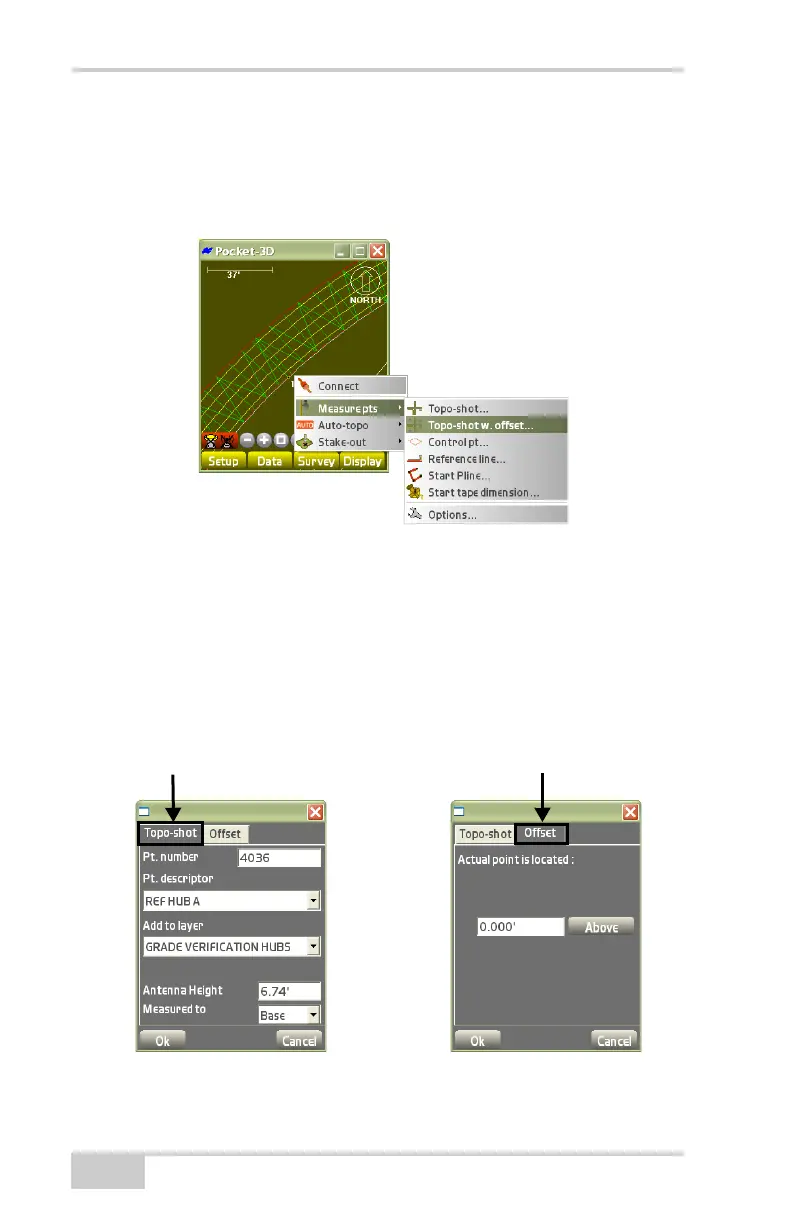
To collect a topo-shot with offset, tap SurveyMeasure pts
Topo-shot w. offset (Figure 4-6).
Figure 4-6. Collect a Topo Shot with Offset
Enter the desired topo-shot parameters. For details on the Topo-shot
tab, see
“Topo-shot” on page 4-3.
On the Offset tab, enter actual location where the collected shot is
located, then press Ok (
Figure 4-7).
• measurement 2) – enter an offset value Above the topo shot.
Select the location of this measurement (above).
Figure 4-7. Measure Topo-shot with Offset



 To Next Page