Setup Menu
Pocket-3D Reference Guide
2-2
Equipment
The Equipment menu creates and edits equipment configuration files.
Equipment configuration files contain information specific to the
equipment; such as, machine type, receiver type and location,
dimensions of the cutting edge, offset lengths depending on the
position of the receiver, and radio configuration.
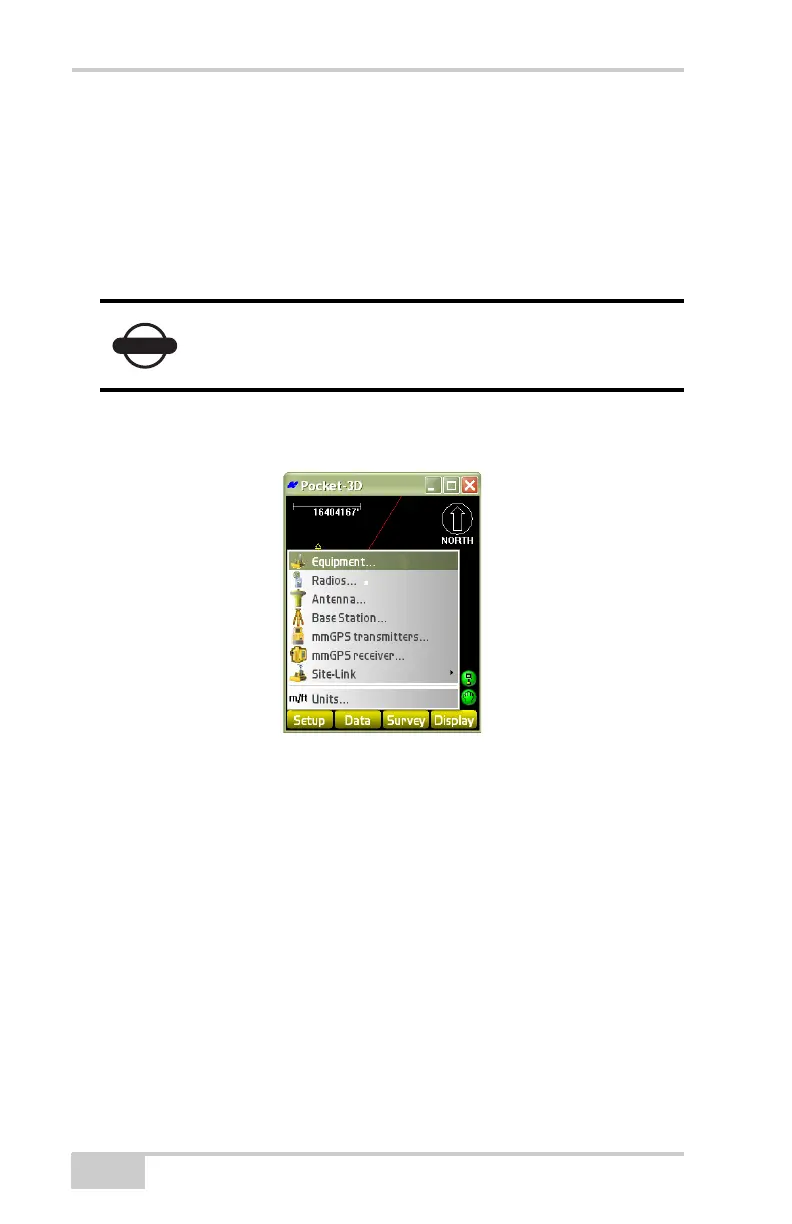
To access available equipment configuration files, tap Setup
Equipment (Figure 2-2).
Figure 2-2. SetupEquipment
From the Equipment configurations dialog box (Figure 2-3 on
page 2-3), equipment configuration files can be created within
Pocket-3D and transferred to the machine Control Box to be used for
machine configuration. (A machine configuration file must be created
before grading.) Refer to the System Five-3D Reference Manual for
more information on the Control Box.
Equipment setup is used for Rover setups, not Base
station setups.



 To Next Page