Setup Menu
Pocket-3D Reference Guide
2-32
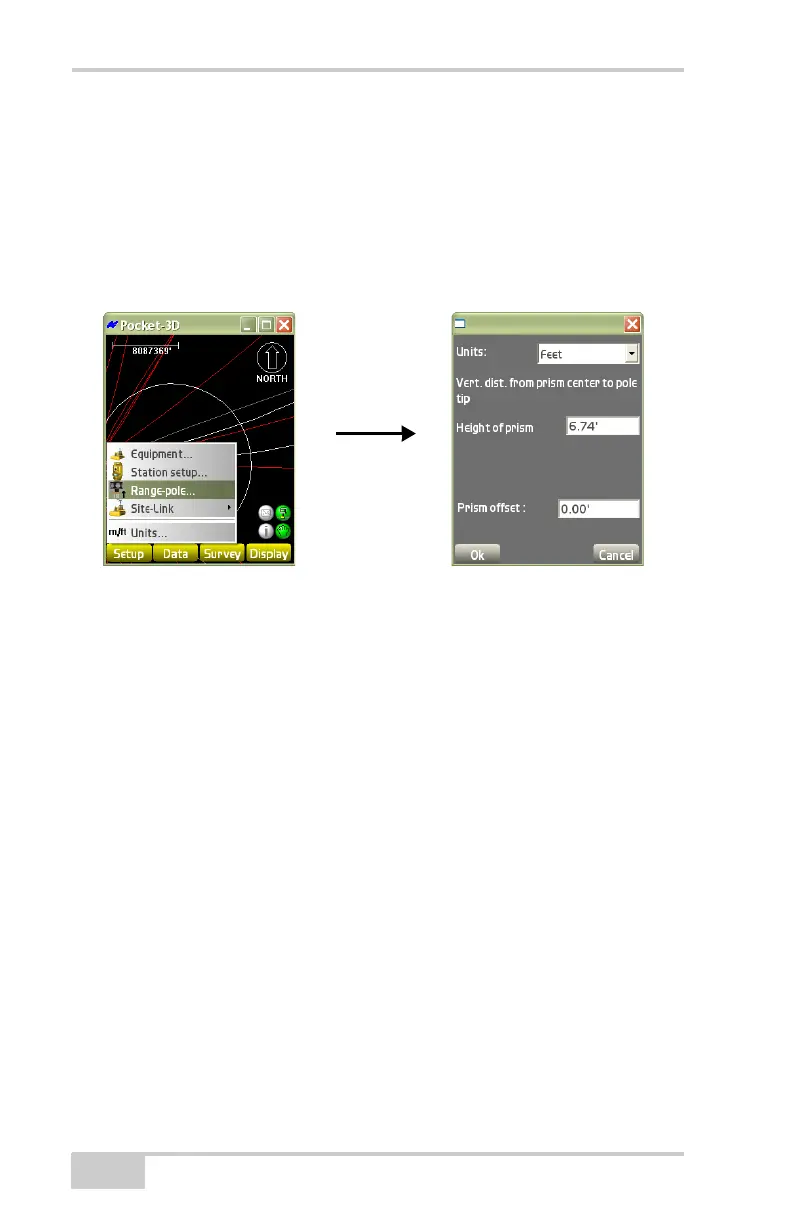
• Units – select the unit of measure.
NOTE: These units do not relate to job units.
• Vert. dist. from prism center to pole tip – enter the measured
distances for the prism and the offset.
– Height of prism: enter the vertical height of the prism.
– Prism offset: enter the prism offset.
Figure 2-44. Range Pole Parameters
Sample Configuration 4: Prism and
Total Station
Before beginning to track a prism, there must be an equipment
configuration file defined in Pocket-3D. The following procedure is
an example of a prism configuration for a GPT-8000 series total
station.
1. Press SetupEquipment to create or select an equipment
configuration file. The following steps describe creating a file.
2. On the Machine files dialog box, press New to create (or Edit to
change) a total station configuration (
Figure 2-45 on page 2-33).
3. On the Configuration name dialog box, set the following
equipment parameters, and press Next (
Figure 2-45 on
page 2-33).
• Configuration name – enter a name for the configuration file.
• Machine type – select Range pole from the drop-down list.
• Sensor – select prism from the drop-down list.



 To Next Page