mmGPS Applications
P/N 7010-0628
2-23
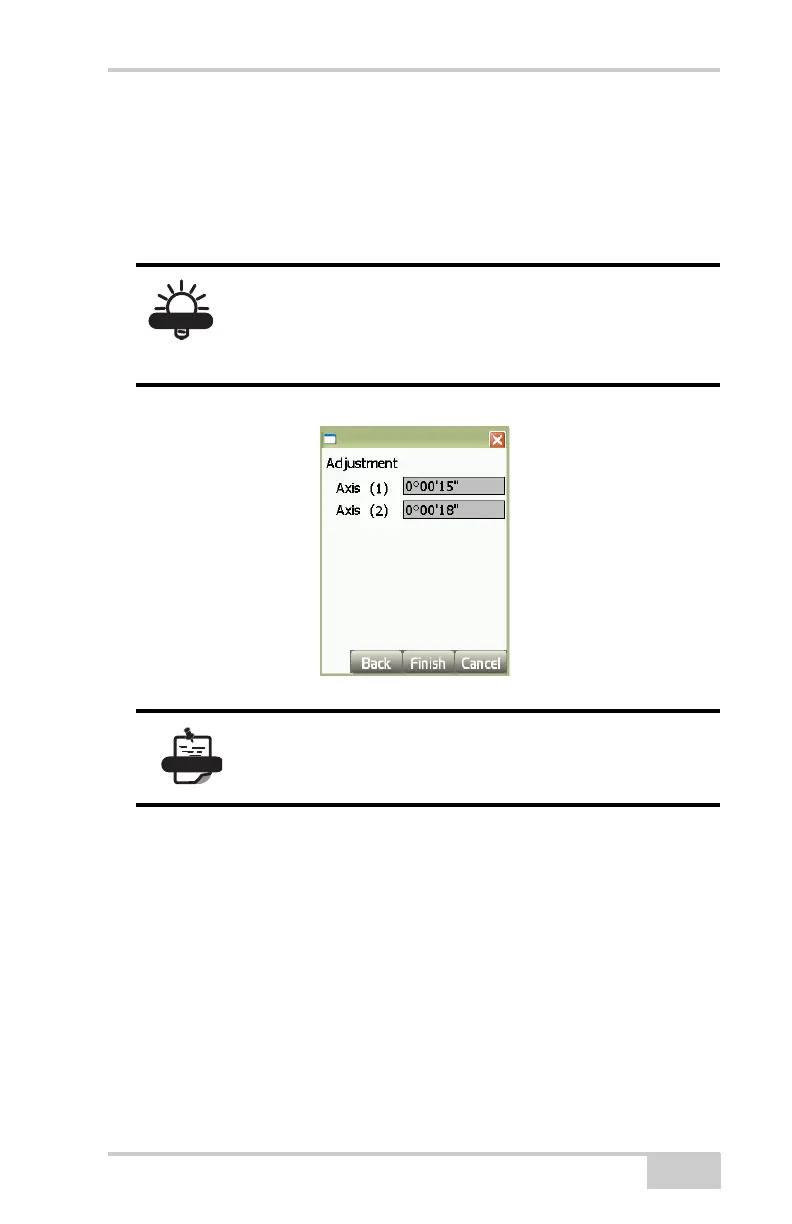
• If either or both Axis measurements are more than 10'', disconnect
from the sensor and connect to the transmitter.
• Press Finish to upload the adjustments to the transmitter. When
finished uploading, the transmitter will apply the adjustments and
turn off.
Figure 2-32. Adjustment Results
Edit Channel
To edit information for the selected transmitter, tap the Edit Channel
button on the Channel tab (
Figure 2-33 on page 2-24).
On the edit channel dialog box, edit and select the following
parameters and press Ok to save (
Figure 2-33 on page 2-24).
1. Transmitter – select the desired transmitter from the drop-down
list.
2. Control point – select the control point for the transmitter’s
position from the drop-down list.
After loading the new self-leveling offset data into
the transmitter, re-calibrate to check the system.
The transmitter may need to be calibrated a couple
of times depending on site conditions.
This process only applies an offset to the self-
leveling mechanism to ensure correct grade. The
control point file is not affected.



 To Next Page