Setup Menu
Pocket-3D Reference Guide
2-46
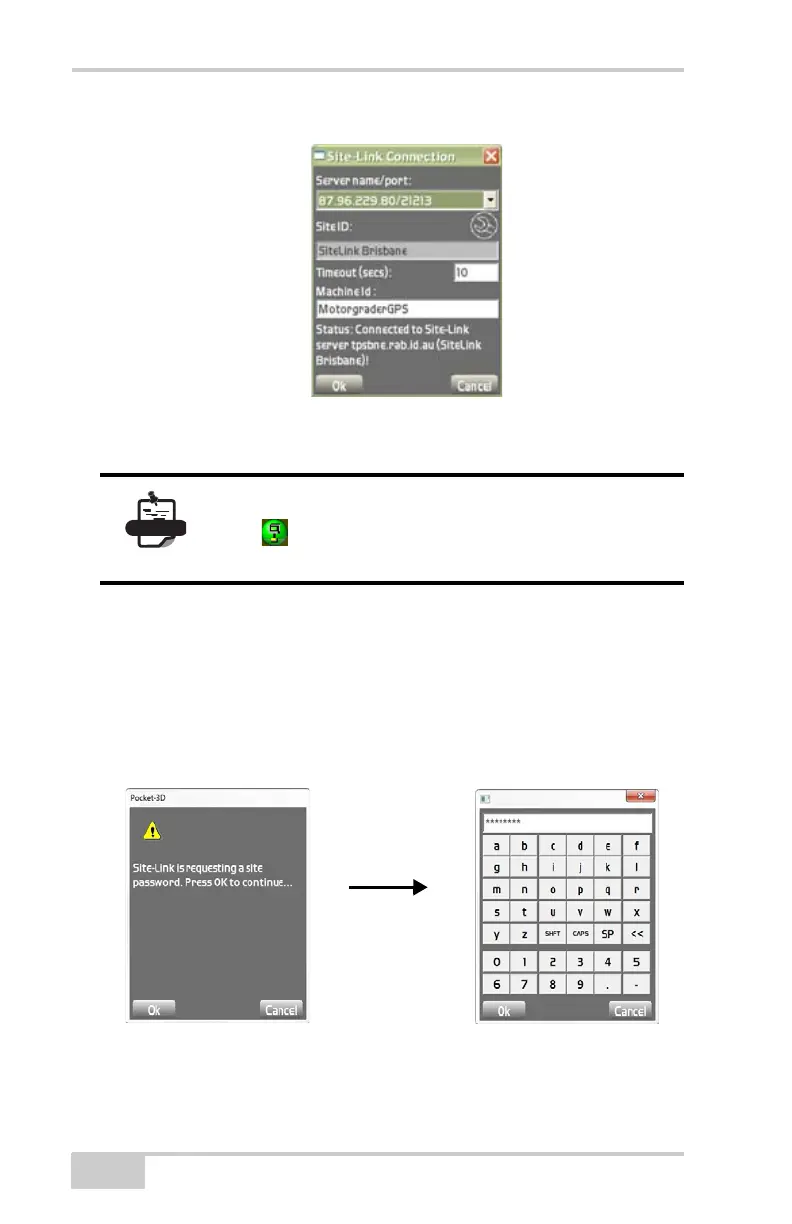
Figure 2-61. The Site-Link Connection
Connecting to SiteLink-3D
To connect to Site-Link, upon Pocket-3D startup, enter the Site-Link
3D password.
Contact your Topcon dealer for the password.
Figure 2-62. Start-up Screen
Once you return to the main screen, the Site-link
icon
turns Green when connected. If Site-link is
not connected, the Sitelink icon turns Red.



 To Next Page