Data Menu
Pocket-3D Reference Guide
3-2
Project
In GPS control applications, the project engineer provides a design
surface file for the jobsite. The correct file must be copied into the
GX-60 control box and selected as the project for the jobsite.
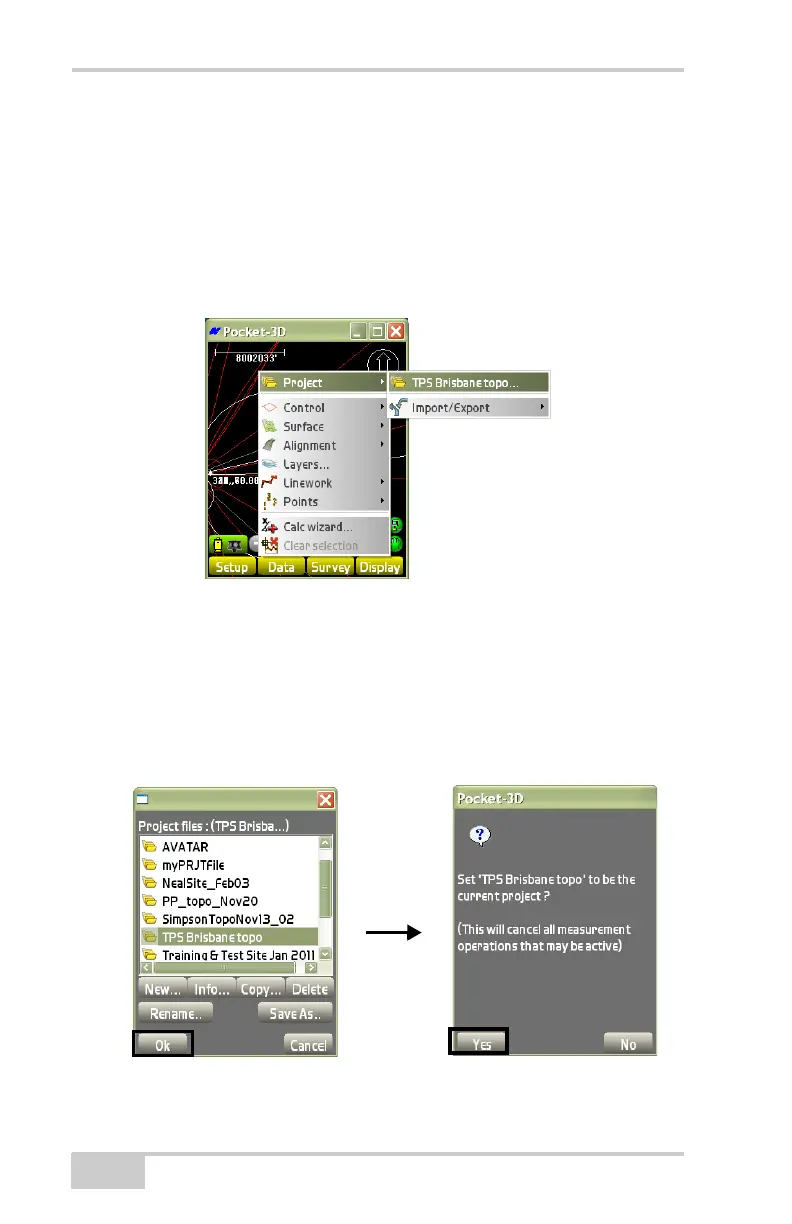
To access available Project files or to create a new Project file, tap
Data Menu
Project<none> (Figure 3-2).
Figure 3-2. Data Project Menu [File
To change the Project file, highlight a file from the list and press Ok
(
Figure 3-3 on page 3-2). At the verification screen, press Ye s to use
this Project file for the current project. Project files can be created,
copies, or deleted. GPS localization files can also be viewed and
saved.
Figure 3-3. Copy a Project File



 To Next Page