Connecting to SiteLink-3D
P/N 7010-0628
2-47
To download a project file, see “Exporting a Project File Via Site-
Link” on page 2-51 for more information.
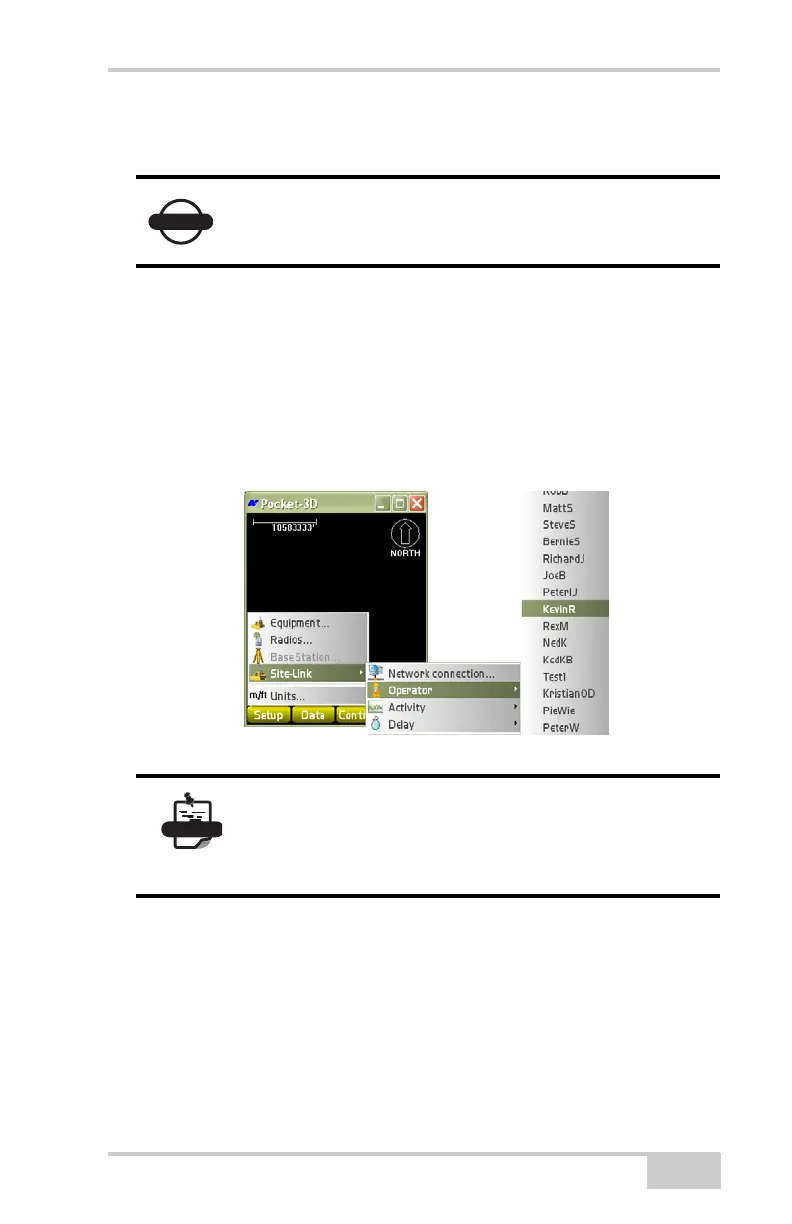
Selecting the Current Operator
Press SetupSite-LinkOperator (see “Add, Edit, or Remove
Registered Machine Operators” on page 2-47) to select an operator to
add, edit, and remove registered machine operators. This same list of
operators will be seen each time the machine operator using 3DMC
connects to Site-Link.
Figure 2-63. Add, Edit, or Remove Registered Machine Operators
Managing Activities/Delays
Press SetupSite-LinkActivity/Delay (administrator only) to
add, edit, or remove registered machine activities and delays
(
“Monitor Machine Activities/Delays” on page 2-48). Only then can
the Pocket-3D machine operator select an appropriate activity or
delay from the same list given to him/her on the machine. From this
You must have an active project enabled to connect
to Site-Link 3D.
It is important that all new operators get added to
Site-Link Manager as soon as possible so that data
reports will not indicate invalid or null operator
associations.



 To Next Page