Total Station Applications
P/N 7010-0628
2-29
Total Station Applications
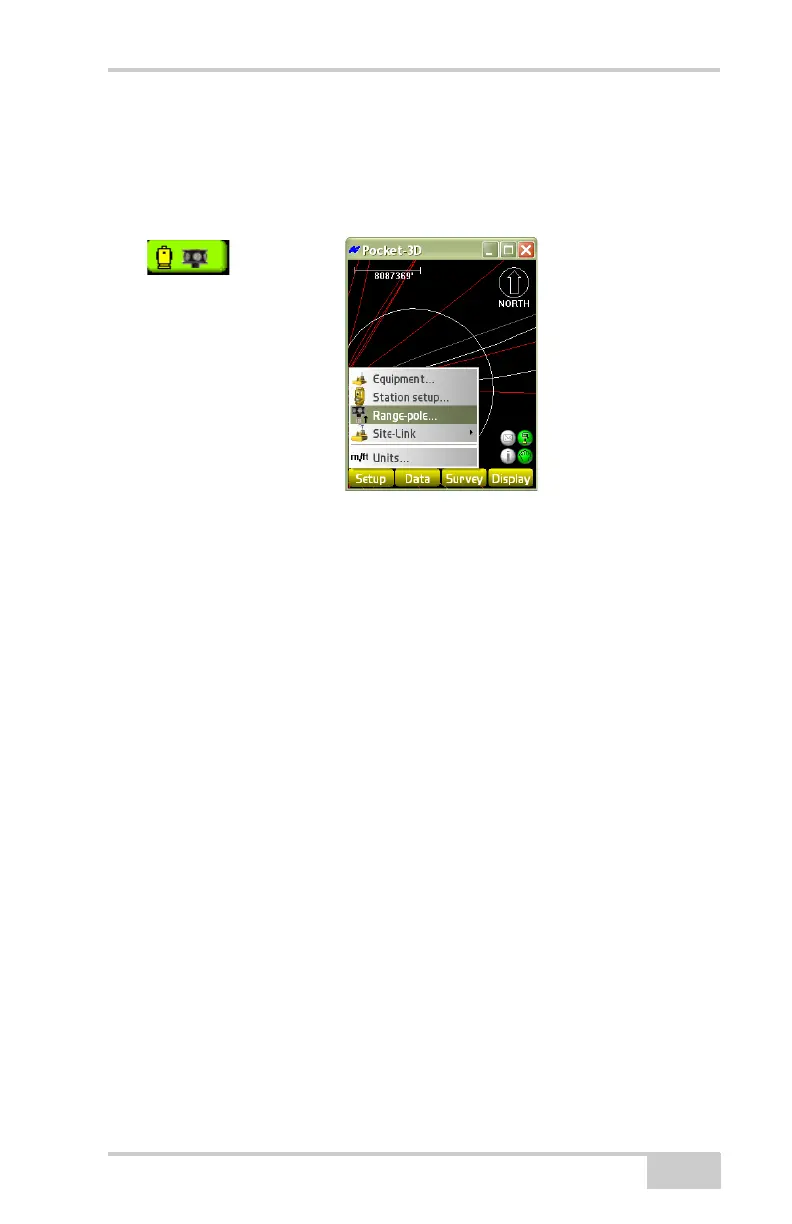
In total station applications, the Setup menu has a Range-pole menu
item (
Figure 2-40).
Figure 2-40. Setup Menu for Total Station Applications
Equipment
For further details on the Equipment menu option and setup screens,
see
“Equipment” on page 2-19.
For the range pole and total station, enter and select the following
information during equipment configuration (
Figure 2-41 on
page 2-30), then press Next:
• Instrument – select the desired total station (GPT8000).
• 1. Vert. prism height – enter the vertical height of the prism.
• Prism constant – enter the prism constant. This constant is
dependent on the manufacturer of the prism; usually –30 mm for
a single prism and zero for a 360° prism.
• Connection (Pocket-3D) – select the COM1(Serial Port),
COM 2 (Serial 1), or Bluetooth (on equipped total stations).



 To Next Page