Survey Menu
Pocket-3D Reference Guide
4-10
Start Tape Dimension
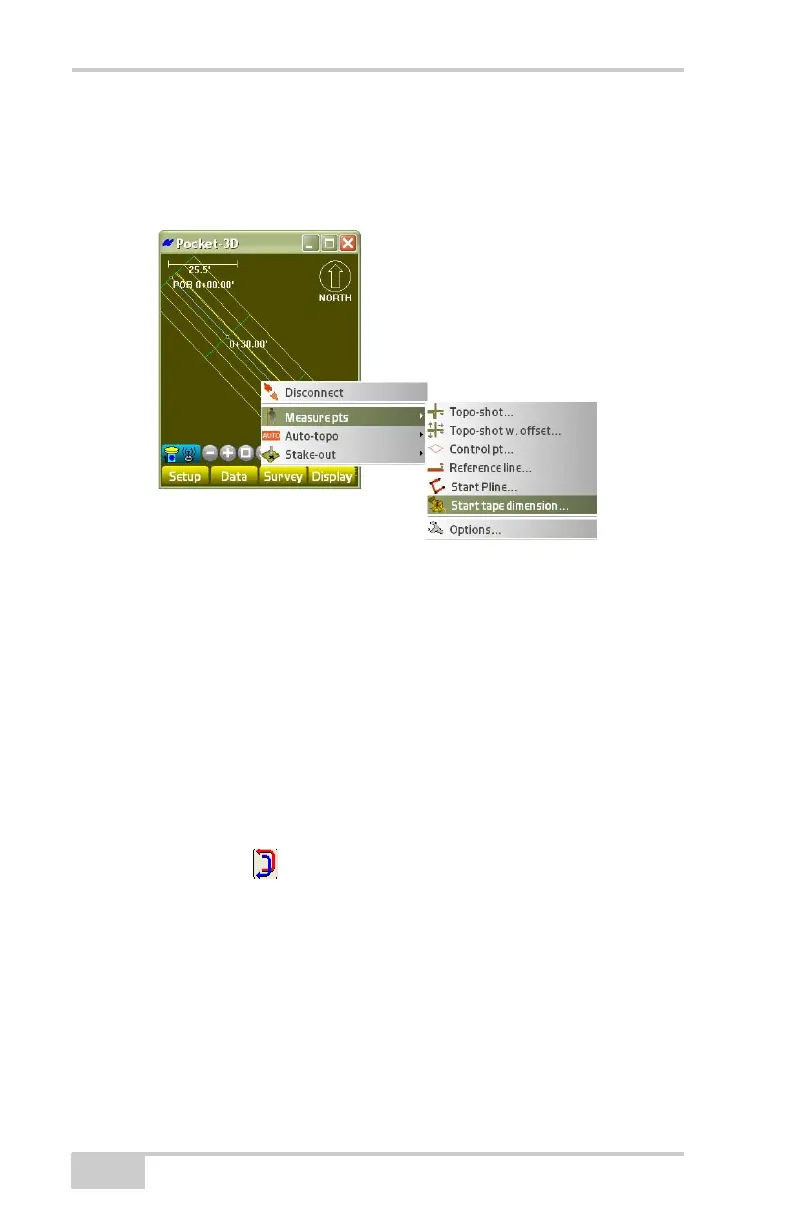
To measure lines perpendicular or at angles to each other, tap
Survey
Measure ptsStart tape dimension (Figure 4-16).
Figure 4-16. SurveyMeasure Pts.Start Tape Dimension
On the start tape dimension dialog box, enter or select the following
information, and press Ok (
Figure 4-17 on page 4-11).
• Pt. layer – select a layer name from the drop-down list.
• Polyline layer – select a polyline layer from the drop-down list.
• From Point – select the beginning of the tape measurement at a
known point on the points listing dialog box.
• To Point – select the end of the tape measurement at a known
point on the points listing dialog box.
• Inverse arrows ( ) – press to reverse the From Point and To
Point fields on the points listing dialog box.
• Use ENT to tape dim. – enable the ENTER key to start the
measurement on each taped dimension.
• Draw Polyline – enable to create a polyline.



 To Next Page