Setup Menu
Pocket-3D Reference Guide
2-24
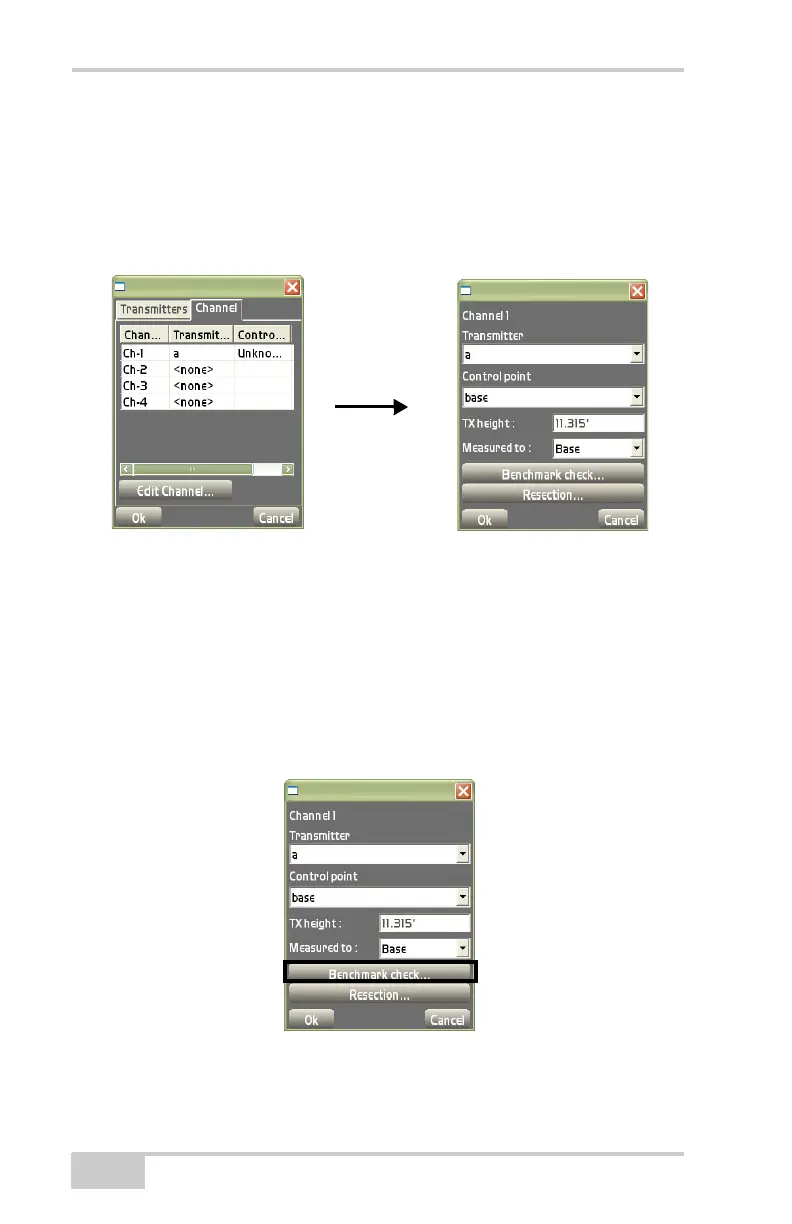
3. TX height – enter the height of the transmitter.
4. Measured to – select where on the transmitter (Base or Mark/
Slant) the height was measured.
5. Benchmark check – see “Benchmark Check” below.
6. Resection – see “Resection” on page 2-25.
Figure 2-33. Edit Channel
Benchmark Check
This function determines the height of the mmGPS transmitter over a
known control point (benchmark) or a point of known elevation.
To take a height measurement of the transmitter, tap Benchmark
check on the channel setup dialog box after entering transmitter
information (
Figure 2-34).
Figure 2-34. Begin Height Check



 To Next Page