Stake-out
P/N 7010-0628
4-37
Control Point
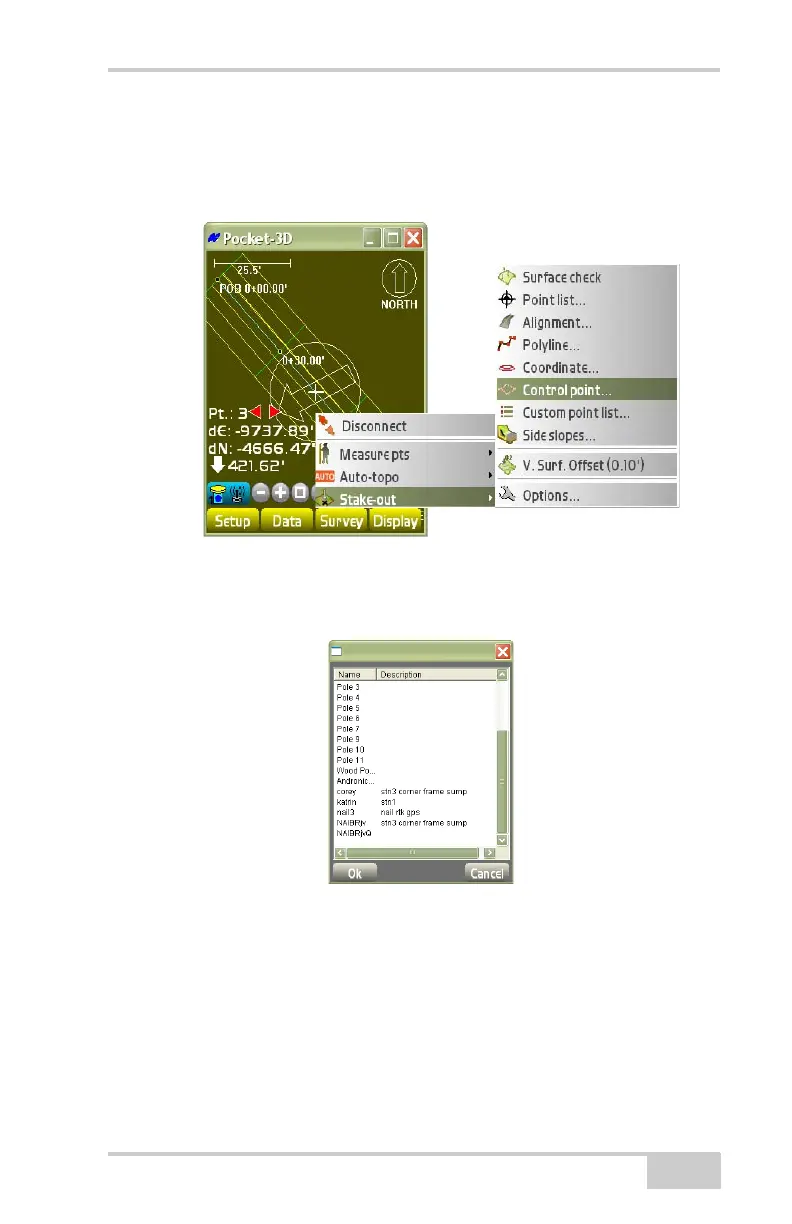
To stake-out a control point from the selected control point file, tap
Survey
Stake-outControl Point (Figure 4-57).
Figure 4-57. Stake-outa Control Point
On the control point stakeout dialog box (Figure 4-58 on page 4-37),
select the desired control point for stakeout and press Ok.
Figure 4-58. Control Point
If the point to be staked lies outside the screen area, the main screen
displays an arrow pointing in the direction of the control point
(
Figure 4-59 on page 4-38).



 To Next Page