Alignment
P/N 7010-0628
3-49
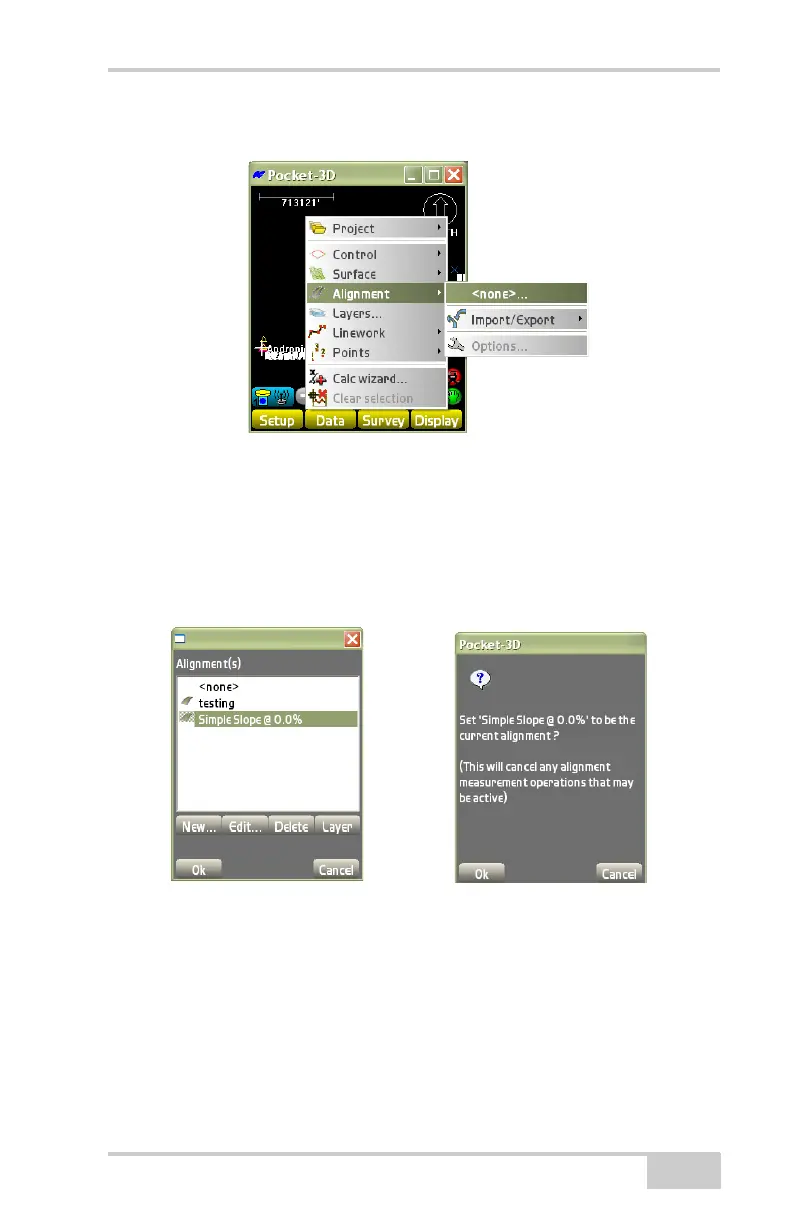
tap DataAlignment[<none> or file name] (Figure 3-70).
Figure 3-70. DataAlignment[File Name]
The Surface(s) dialog box lists all available Alignment files. To
change the currently loaded Alignment file, select another file from
the list and press Ok (
Figure 3-71). At the verification, screen press
Ok to use this Alignment file for the current project. Alignment files
can be created, edited, copied, or deleted.
Figure 3-71. Select Alignment File Dialog Box
New
Press New to create a new file. On the point of beginning dialog box
(
Figure 3-72), enter the following parameters and press Next.
• Alignment name – enter the name of the Alignment.
• Point of beginning:



 To Next Page