Survey Menu
Pocket-3D Reference Guide
4-2
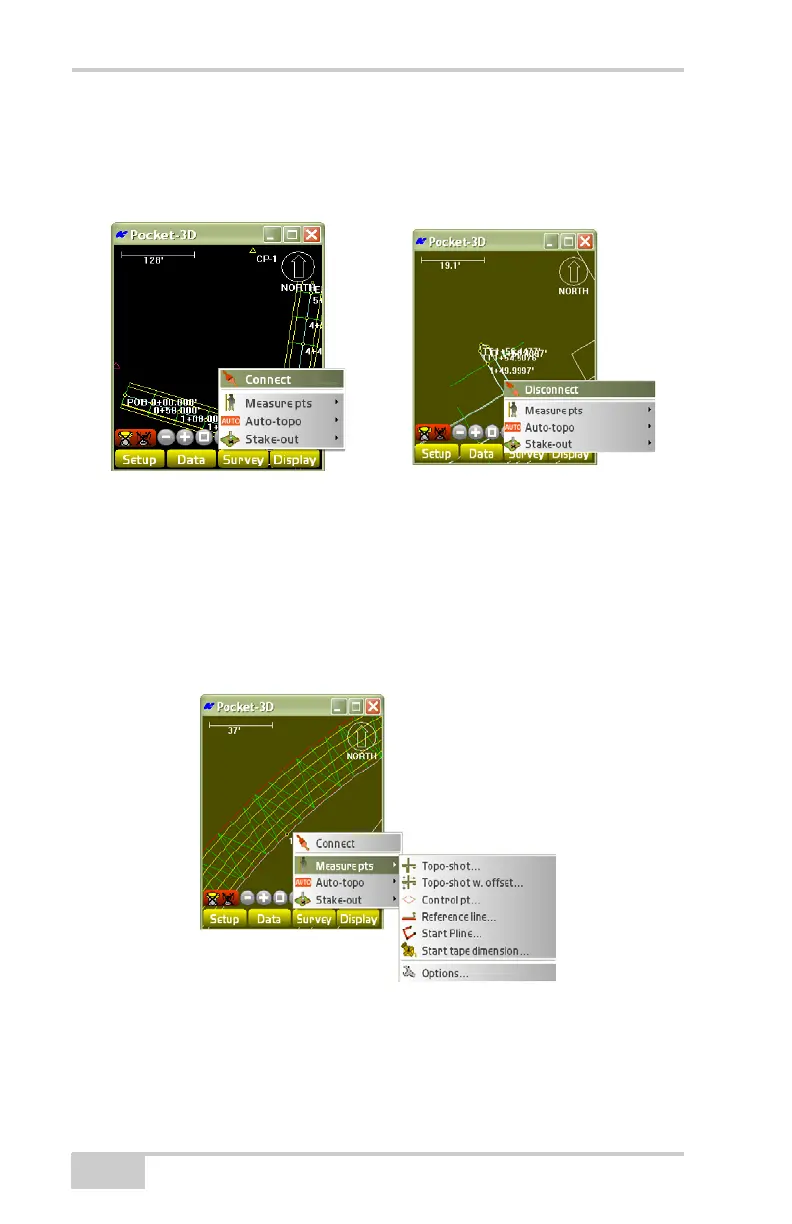
Connect to GPS/Disconnect from GPS
To enable or disable the connection with a GPS+ system, tap
Survey
Connect to GPS/Disconnect from GPS (Figure 4-2).
Figure 4-2. Connect to GPS/Disconnect from GPS
Measure Points
The Measure pts menu (Figure 4-3) collects points, control points
(mmGPS transmitter locations), points with offsets, a reference line,
and polylines in the field.
Figure 4-3. Measure Points Survey Menu Options



 To Next Page