Data Menu
Pocket-3D Reference Guide
3-58
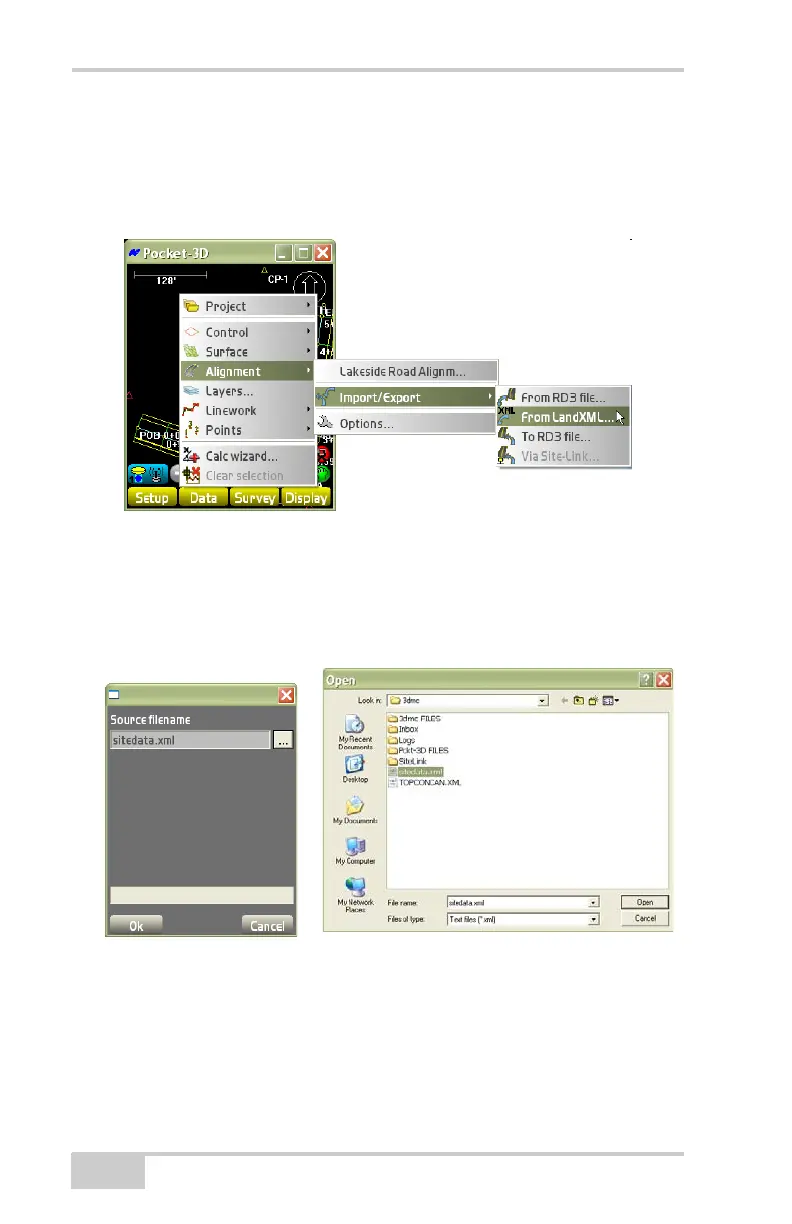
From LandXML File
To export a LandXML file from an alignment file, click
Data
AlignmentImport/ExportFrom LandXML
(Figure 3-83).
Figure 3-83. Import from a LandXML File
On the Source filename dialog box, press the Browse button to select
an XML file for the Explorer dialog box.
Press Open to return to the previous screen, then cancel to return to
the main screen.
Figure 3-84.
To RD3 File
To export an RD3 file from an alignment file, click
Data
AlignmentImport/ExportTo RD3 file (Figure 3-85 on
page 3-59).



 To Next Page