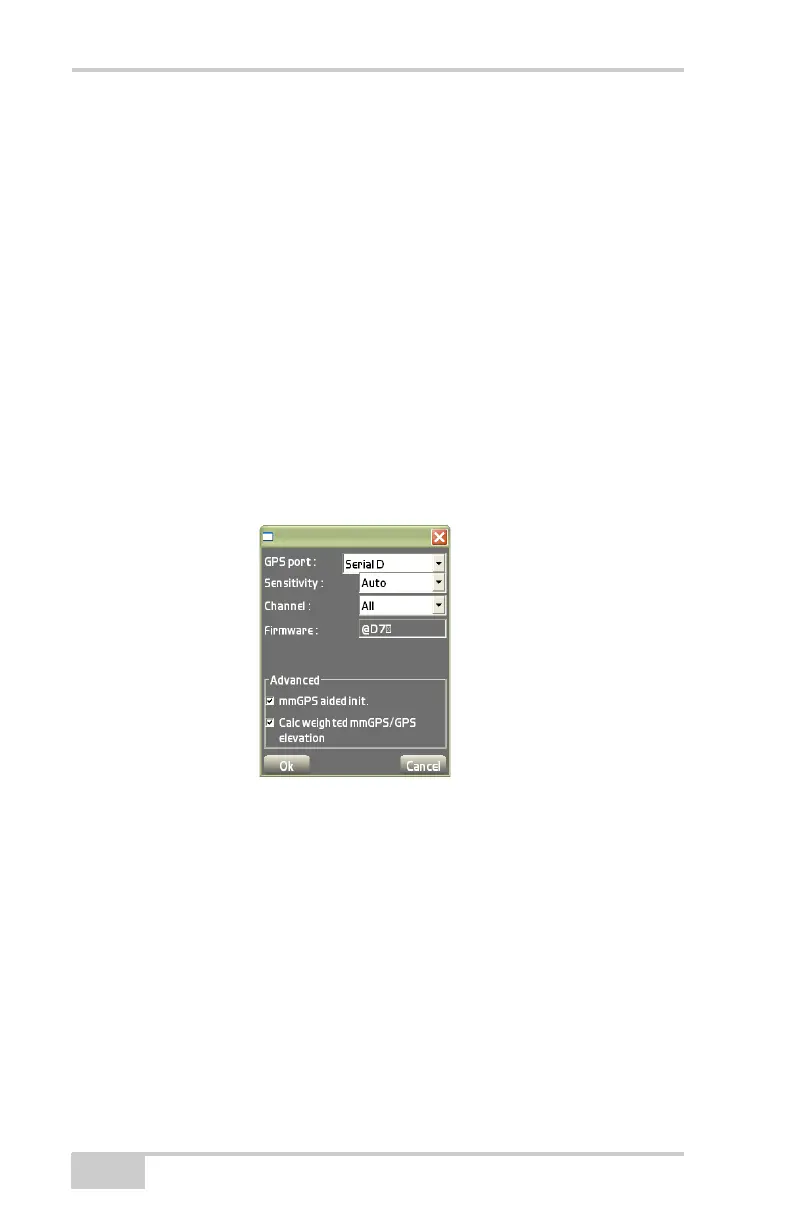
Setup Menu
Pocket-3D Reference Guide
2-28
• Sensitivity – select Auto to automatically control the mmGPS
receiver’s detection level of the transmitter’s signal.
Select a different setting when working at very short or very long
distances, or during inclement weather that can affect laser
detection.
• Channels – select the channel to scan for mmGPS connection.
• Firmware – the firmware version displays after the download of
calibration data from the connected transmitter completes.
• Advanced – select advanced mmGPS options:
– mmGPS aided initialization: select to use the mmGPS signal
to assist in initializing the GPS receiver.
– Calc weighted mmGPS/GPS elevation: select to combine
mmGPS elevations and GPS elevations.
Figure 2-39. Select mmGPS Receiver Information



 To Next Page