Total Station Applications
P/N 7010-0628
2-33
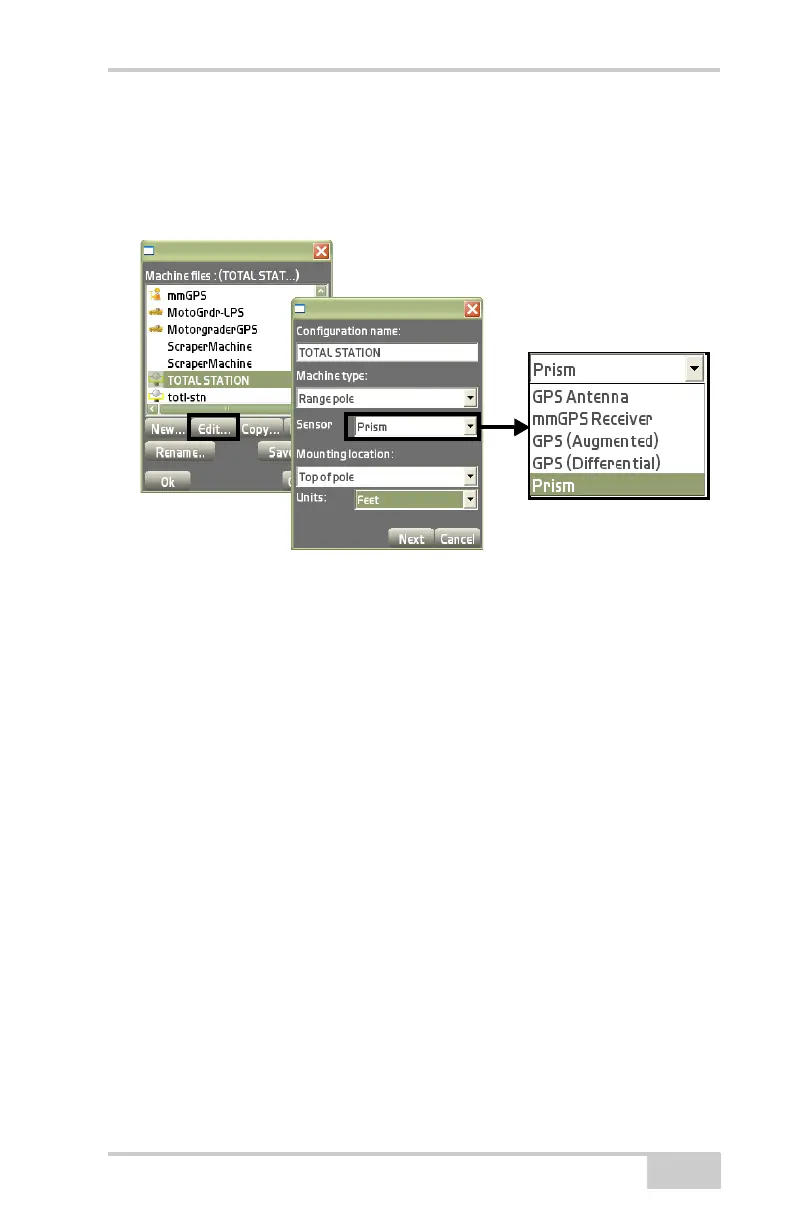
• Mounting location – select “Top of pole” from the drop-down
list.
• Units – select the type of unit measurement from the
drop-down list.
Figure 2-45. Equipment Configuration File for Total Station
4. Enter the sensor information using the same units of measure
entered in the previous step, then press Next to continue
(
Figure 2-46 on page 2-34). These settings have a corresponding
Image tab to illustrate the setup.
• Instrument – select the desired total station from the
drop-down list.
• Vert. prism height – enter the vertical height of the prism.
• Prism constant – enter the prism constant. This constant is
dependent on the manufacturer of the prism; usually -30 mm
for a single prism and zero for a 360° prism.
• Connection (Pocket-3D) – select the communication port
used between the controller and instrument; COM1 (Serial
port) or Bluetooth® on equipped total stations.



 To Next Page