Setup Menu
Pocket-3D Reference Guide
2-34
Figure 2-46. Sensor Information Dialog Box
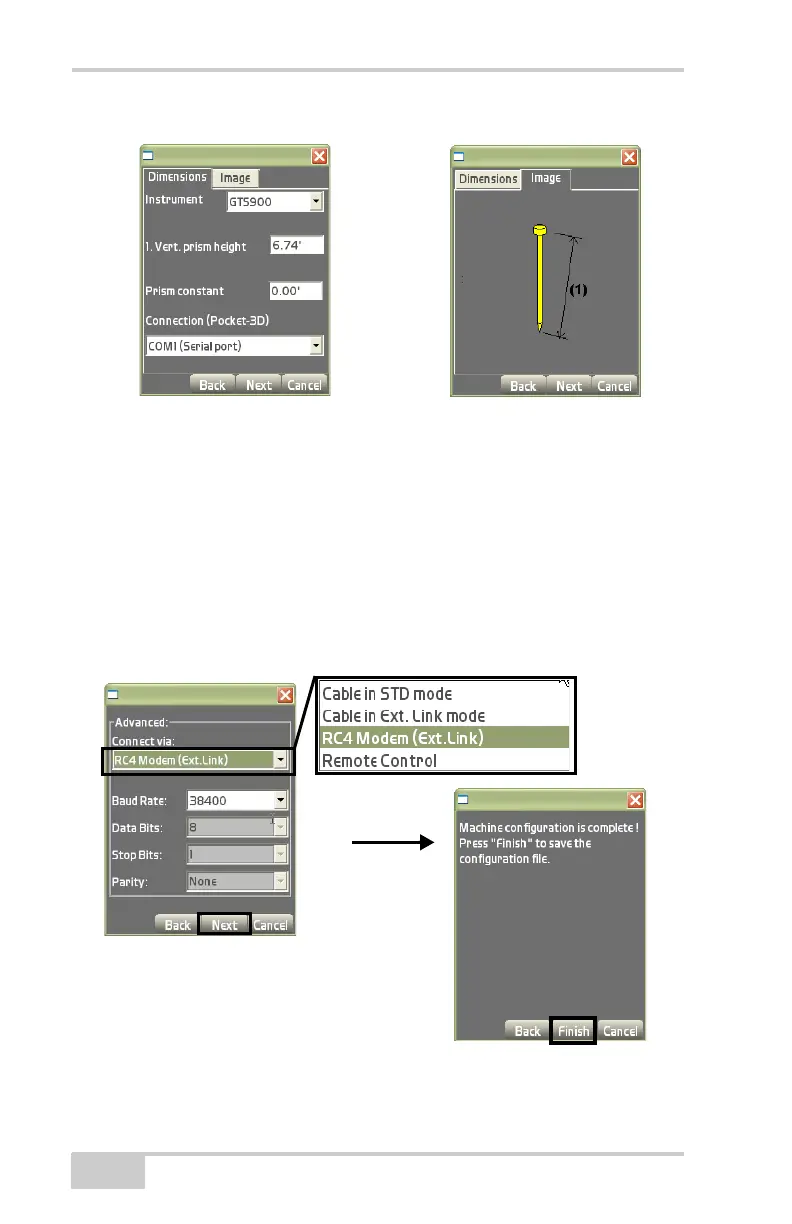
5. On the Advanced dialog box, select the connection type, Baud
rate, Data Bits, Stop Bits, and Parity used for communication
with the total station and press Next to continue (
Figure 2-47).
NOTE: The RC4 Modem is now supported in order to
communicate with robotic total stations.
6. Press Finish to save the configuration file (Figure 2-47).
NOTE: Pressing Cancel will cause the configuration’s
information to be lost.
Figure 2-47. Select Advanced Parameters



 To Next Page