Points
P/N 7010-0628
3-81
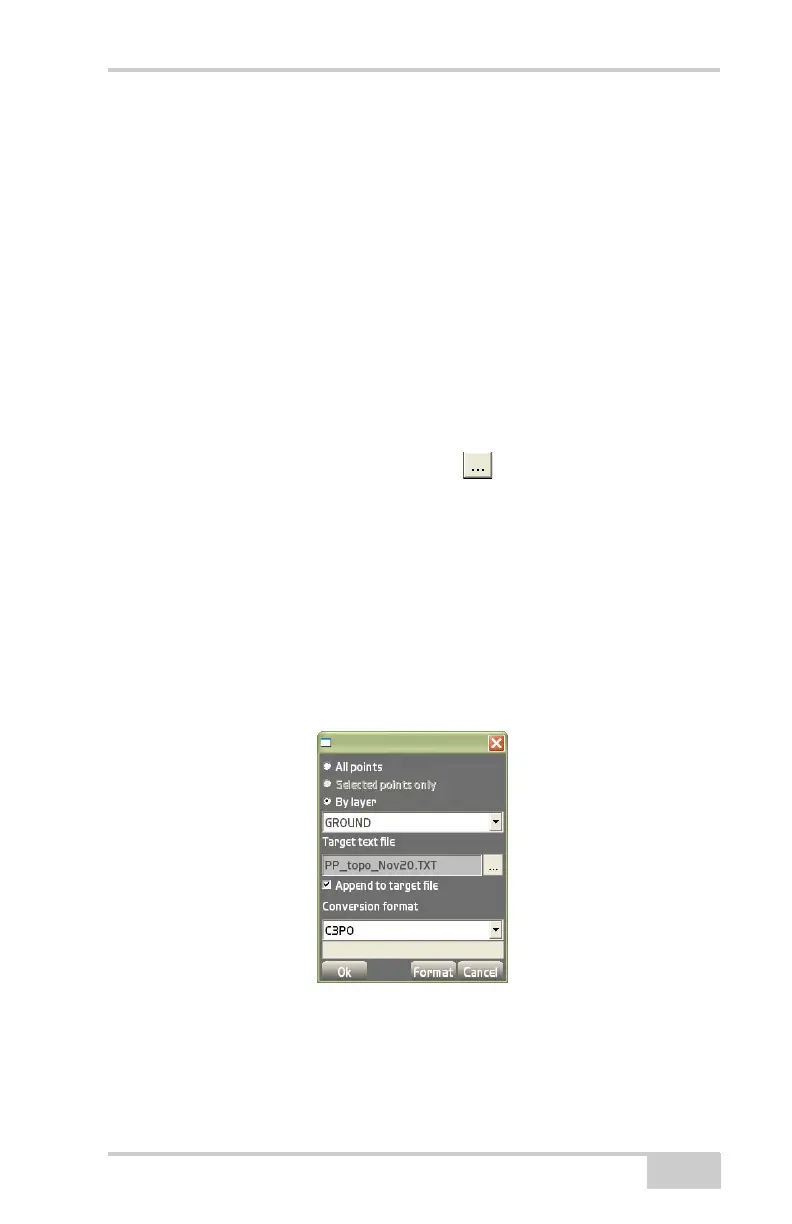
To Text file To export text files to a point file, tap
Data
PointsImport/ExportTo text file. The export to text file
dialog box displays (
Figure 3-121). Unless otherwise selected, the
default folder for exported point files will be the “My Documents”
folder on the controller.
• All points – enable to export all of the points within the Points
file.
• Selected points only – with the desired points selected, enable to
export only those points to a text file.
• By layer – enable to export all of the points within a selected
layer.
• Target text file – press the browse ( ) button to name the file
and select the location of the exported file. Then enter the name
of the text file using the keyboard at the bottom of the screen.
Choose a folder and location in which to store the text file, then
press Ok. The text file’s location and name display in the Target
text file entry box.
• Append to target file – enable to add points onto an existing file.
• Conversion format – select the conversion format from the drop-
down list. These formats have been created using the Format
Figure 3-121. Export to Text File



 To Next Page