Data Menu
Pocket-3D Reference Guide
3-22
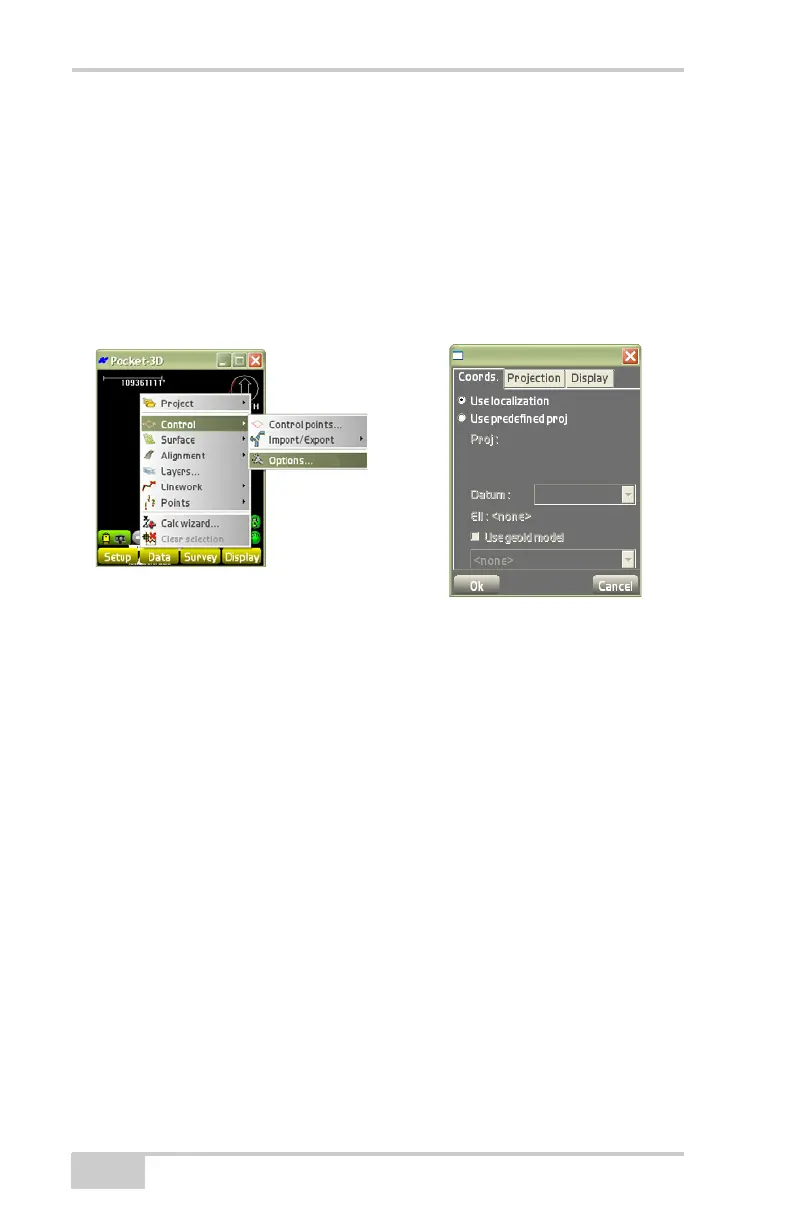
and selects the geoid model to use. Press Ok when done.
• Use localization – enable to use localization data.
• Use pre-defined projection – enable to use a pre-defined
projection. Projection, datum, and elevation information will
display.
• Use geoid model – enable to use a geoid model and select the
geoid model from the drop-down list.
Figure 3-33. Control Point Options – Coords Tab
Support for non-Topcon Base Station An added datum option is
now available to support the use of a non-Topcon base station (added
support for NAD83_NO_trans). There is a difference between
NAD83 and WGS84 parameters. Previously, when using a
non-Topcon base station, a shift would appear. The only option was to
use a localization when using a third-party base receiver. The new
NAD83_NO_Trans accommodates for this shift by using a third-party
base receiver.
1. To use this option, click DataControlOptions.
The option controls dialog box displays (Figure 3-34 on
page 3-23).
2. On the Coords. tab, enable the Use predefine proj option.
3. In the Datum drop-down field, select NAD83.



 To Next Page