Survey Menu
Pocket-3D Reference Guide
4-64
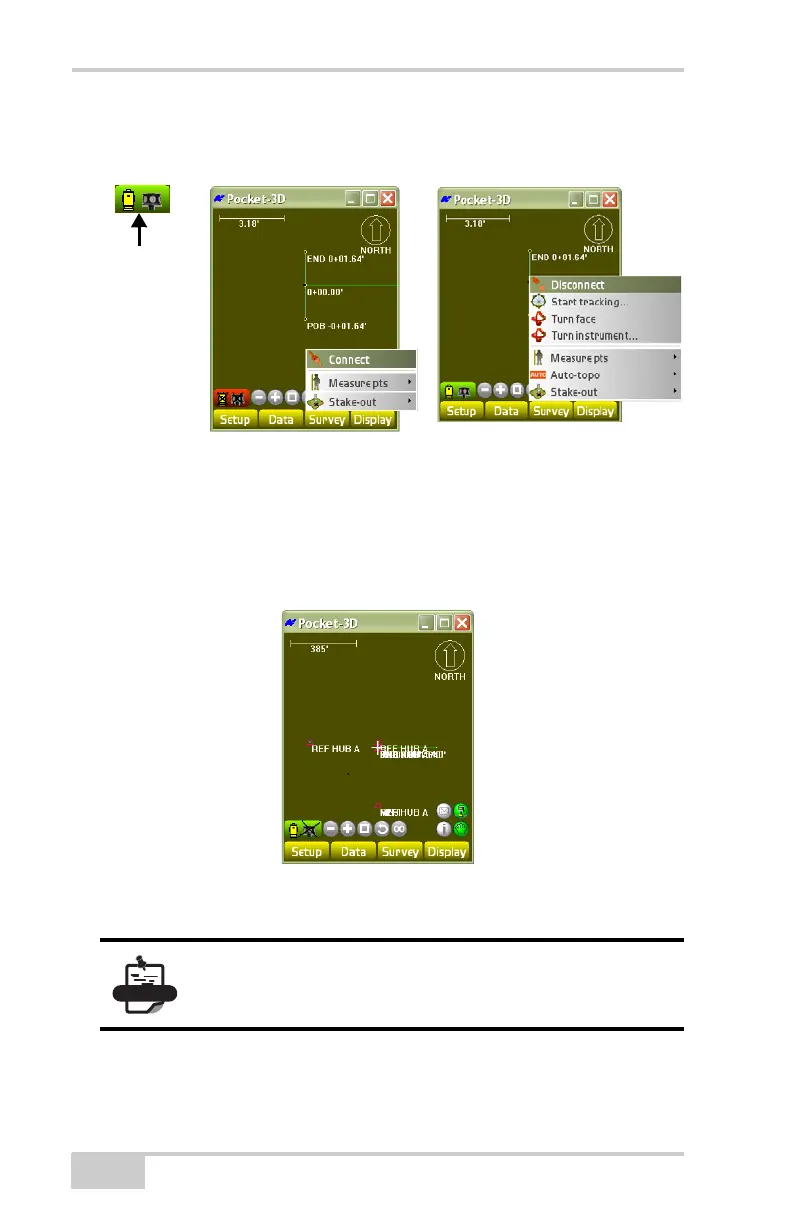
Connect/Disconnect To Connect/Disconnect the total station, click
Survey
Connect/Disconnect.
Figure 4-91. Survey Menu
When you press Connect the Robotic status button turns green. If you
press Disconnect the robotic status button turns red (
Figure 4-91).
If there is an X marked across the prism icon, it is connected, but not
tracking (
Figure 4-92).
Figure 4-92. Connected But Not Tracking
Click SurveyStart/Stop TrackingTurn instrument.
To turn the instrument to the rover, click SurveyConnect, then
Survey
Turn instrument. Then press SurveyStart tracking.
Turn instrument, Qlock, and Turn face options are
only available when you are NOT TRACKING.



 To Next Page