Surface
P/N 7010-0628
3-27
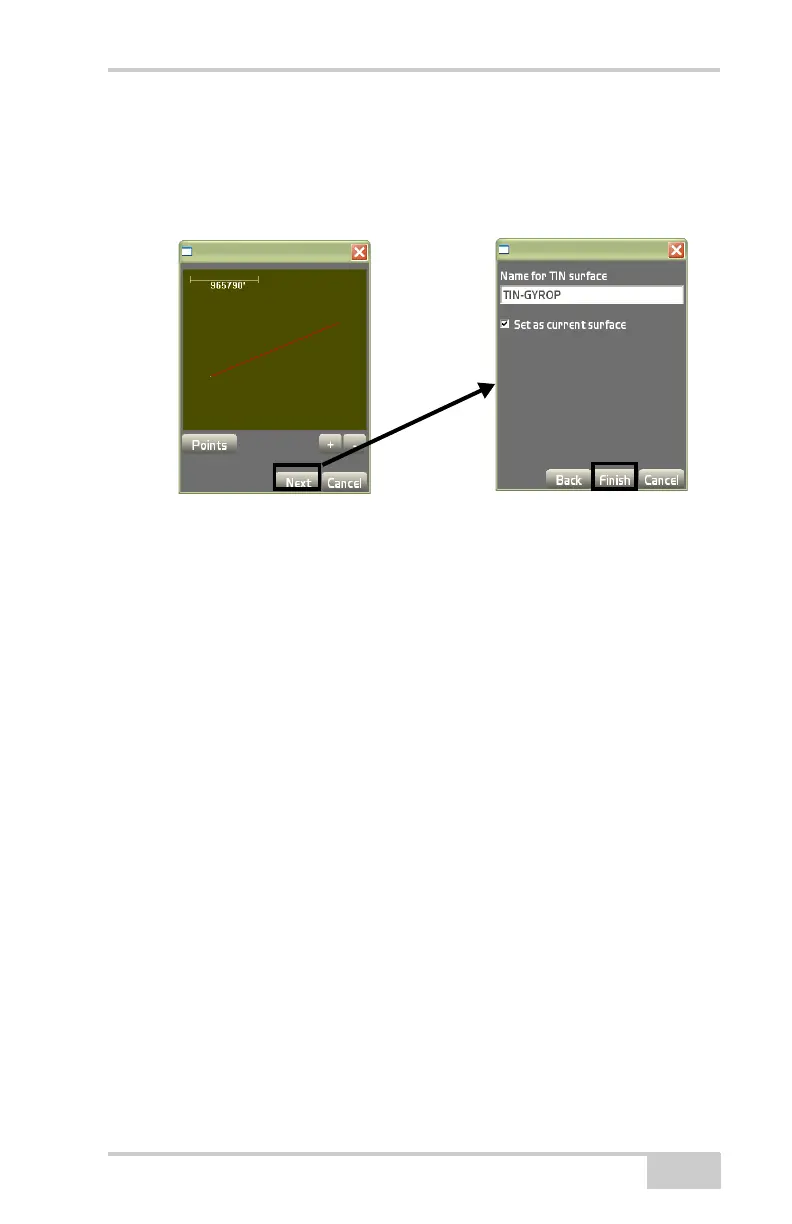
The preview dialog box displays the TIN surface created from the
selected points and/or lines (
Figure 3-40). Press the +/- buttons to
zoom in or out on the image, or press down on the screen and drag the
image around. Press Next to continue.
Figure 3-40. TIN Surface Preview
The TIN surface parameters dialog box sets the following parame-
ters. Press Finish (Figure 3-40) to display the Surface(s) dialog box
(Figure 3-41 on page 3-28).
• Name for TIN surface – enter the name of the TIN surface.
• Set as current surface – enable to set the surface as the current
surface.
• Ok – press to display the new TIN surface confirmation screen
(
Figure 3-41 on page 3-28).



 To Next Page