Data Menu
Pocket-3D Reference Guide
3-46
– Show boundaries: enable to display the boundaries on the
selected surface. Press the Color button to set a color for the
boundaries.
– Show contours: enable to display the contours on the selected
surface. Press the Color button to set a color for the contours.
– Interval: enter the desired interval for the contours.
Figure 3-67. TIN Surface Display Options
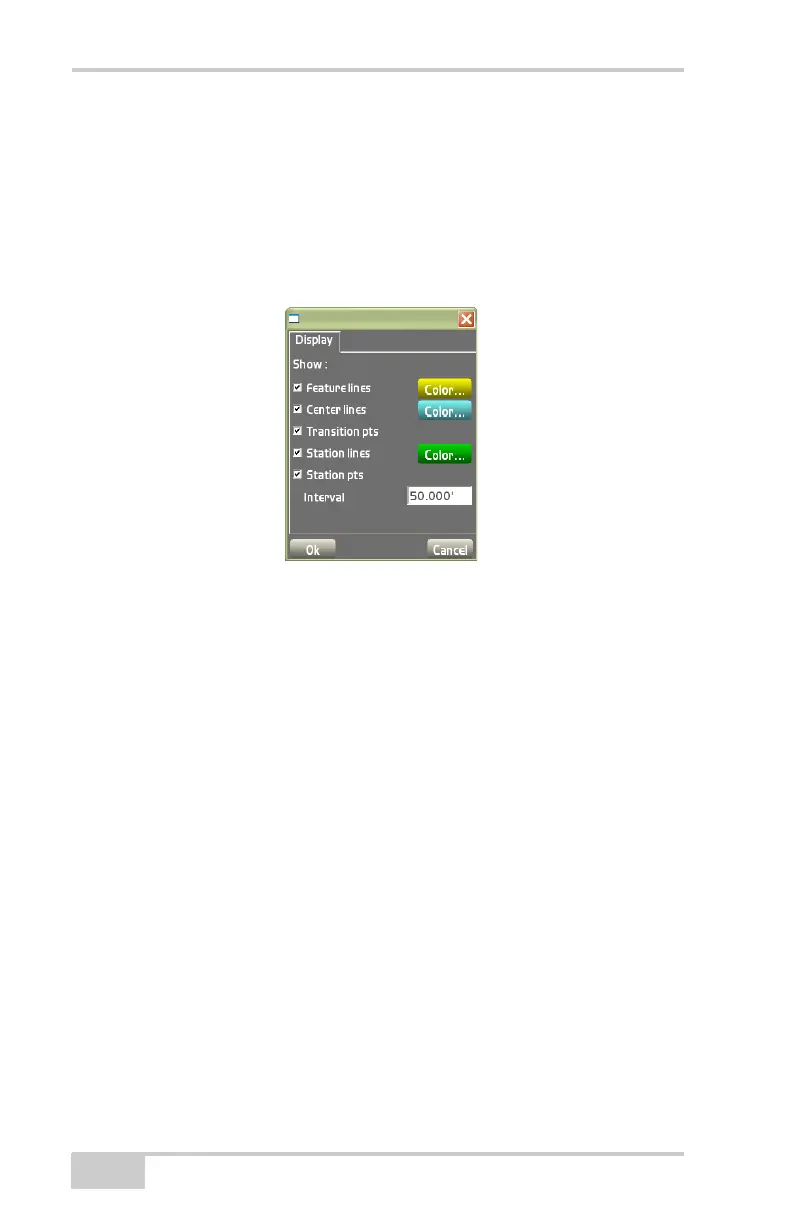
• Road Surface Model
– Show feature lines: enable to display the feature lines on the
surface. Use the color button to set a color for the feature
lines.
– Use the color button to set a color for the center lines.
– Show transition pts: enable to display the transition points on
the surface.
– Show station lines: enable to display the station lines at a set
interval on the surface. Use the color button to set a color for
the station lines.
– Interval: enter the desired interval for station points.
• Plane Surface Model
– Display grid-lines: enable to display the grid-lines at a set
interval on the surface.
– Grid interval: enter the desired grid interval.
– Orientation: enter the desired orientation.
• Best-fit Model



 To Next Page