Data Menu
Pocket-3D Reference Guide
3-88
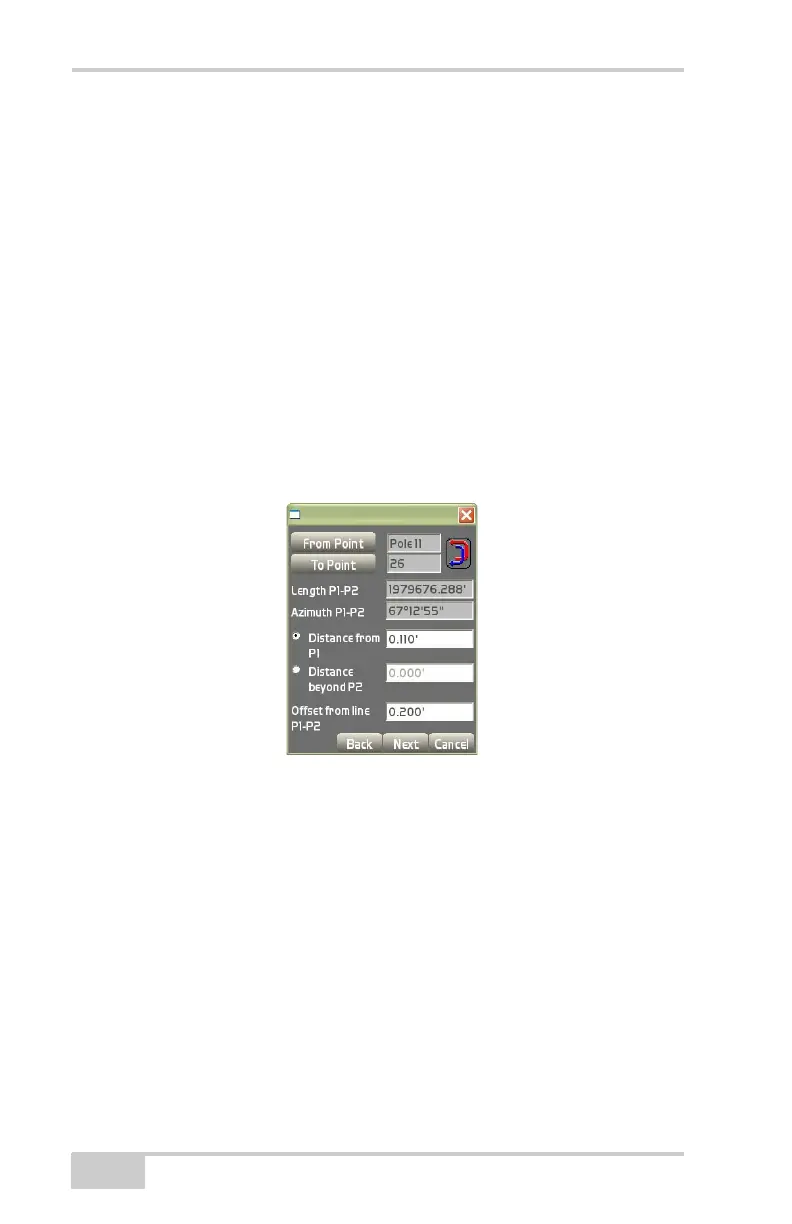
• From Point – press to select the point from which to begin.
• To Point – press to select the point from which to end.
• Length P1-P2 – displays the length between the two selected
points.
• Azimuth Pl-P2 – displays the azimuth from point 1 to point 2
(0° being at the top of the screen).
• Distance from P1 – enter the distance desired for the offset
beyond point 1, then press Ok.
• Distance beyond P2 – enter the distance desired for the offset
beyond point 2, then press Ok
• Offset from line P1-P2 – enter the offset distance desired from the
line created from Point 1 to Point 2, then press Ok.
Figure 3-131. Create Point Dialog Box
The view screen displays the baseline created from the two points
and the newly created point (
Figure 3-132).
• Press the +/- buttons to zoom in or out on the image, or press
down on the screen and drag the image around.
• Press Next to continue.



 To Next Page