Data Menu
Pocket-3D Reference Guide
3-114
NOTE: Alternatively, you can manually enter a direction value
for delta North (dN) / delta East (dE), if you know by how much
you want to move your objects to the north/east.
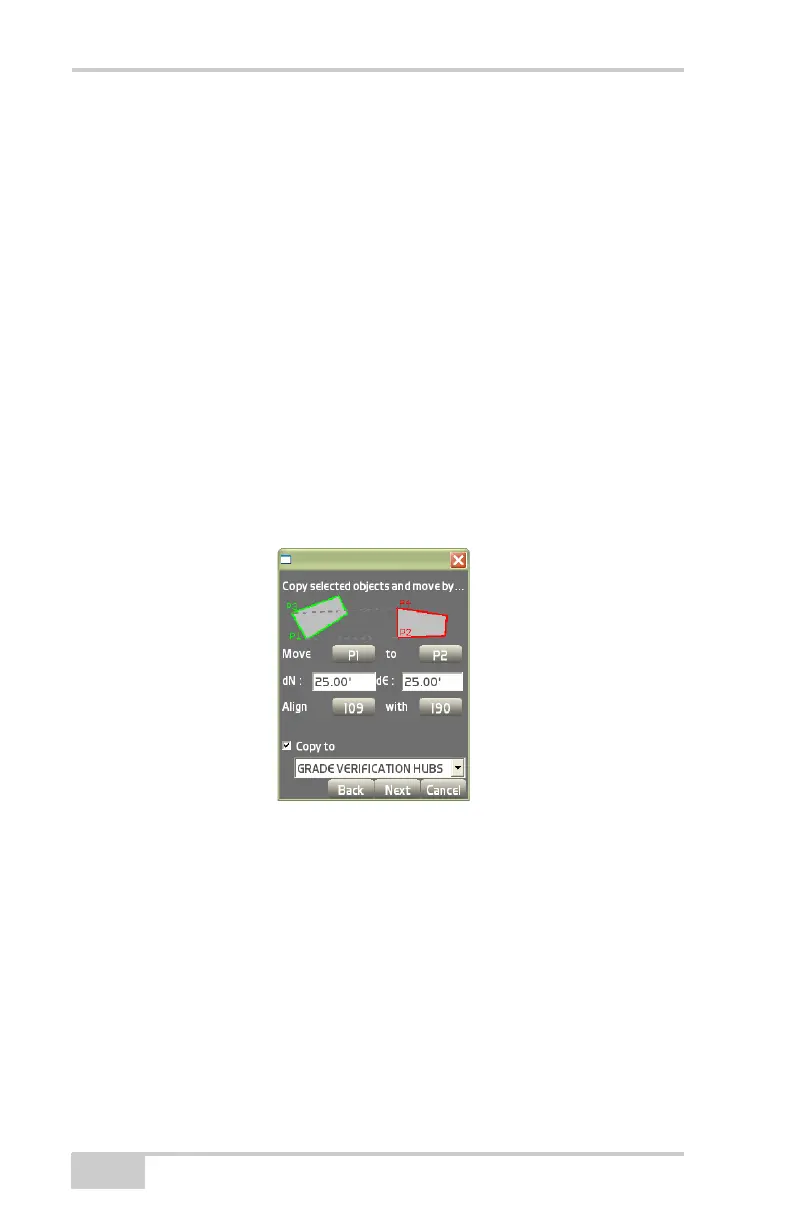
– dN/dE: enter delta North (dN) and delta East (dE) values
manually if you know by how much you want to move your
objects to the north/east.
– Align/With: to rotate your objects as well, you can choose to
calculate a rotation angle by how much those objects will be
rotated. Use P3 as the “From” and P4 as the “To” for
calculation.
– Copy to: check mark this box to move and rotate a copy of the
current selected items, even save it to another layer.
This creates a copy of the selected items. Please see “Move
Selected Objects” on page 3-111 to get detailed information
about the move and rotate instructions.
Figure 3-175. Copy Selected Objects
The view screen (Figure 3-176 on page 3-115) shows the current
location in green and the new location in red after the move.
• Press the +/- (Plus/Minus) buttons to zoom in or out on the
image, or press down on the screen and drag the image around.
• Press Finish to accept the copied object(s).



 To Next Page