Survey Menu
Pocket-3D Reference Guide
4-12
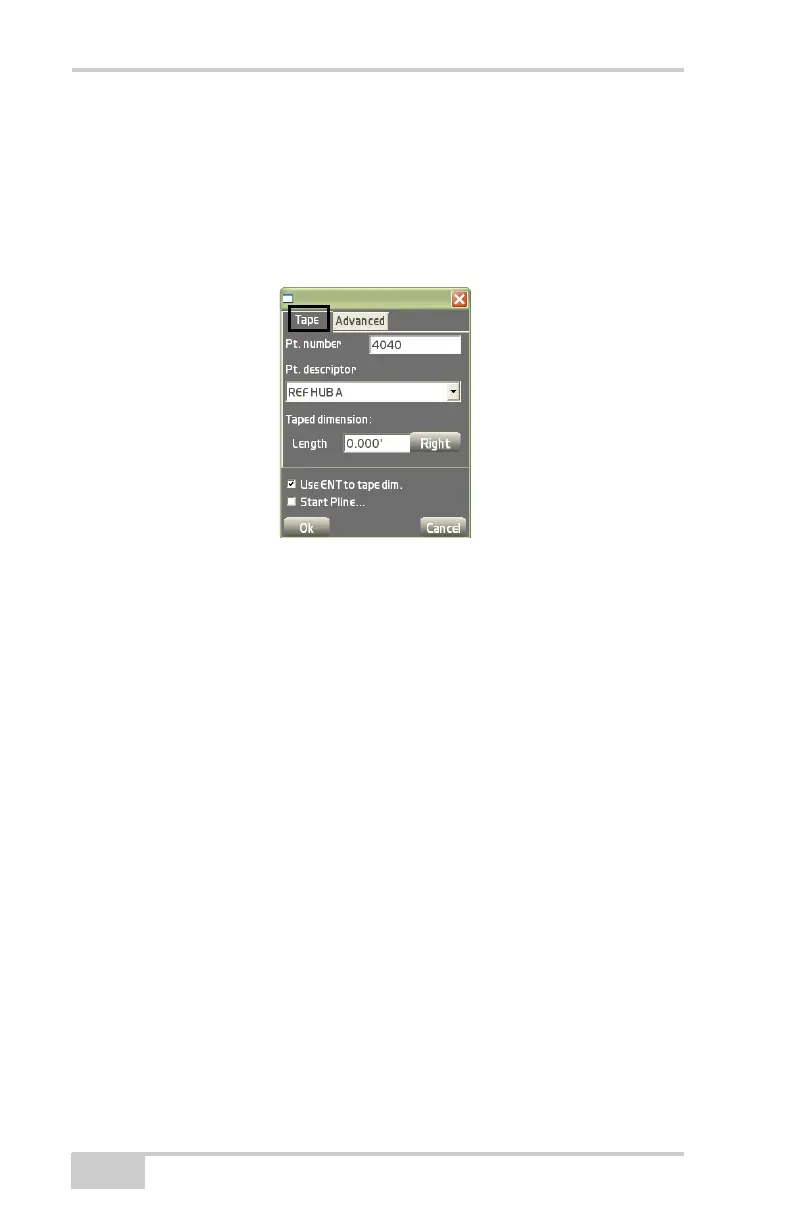
– Right/Left: tap to toggle the entered tape dimension length
either to the right or left of the last reference point.
• Use ENT to tape dim. – enable the ENTER key to start the
measurement on each taped dimension.
• Start Pline – enable to start the polyline.
Figure 4-19. Tape Dimension Parameters
On the Advanced tab, select and enter the following information
and press Ok (
Figure 4-20 on page 4-13).
• Distance – enable to enter a distance/offset that makes the next
point 90° from the last point.
– Right/Left: tap to toggle the entered tape dimension either to
the right or left of the last reference point.
– Offset: enter the offset either Ahead or Behind the last
reference point.
– Ahead/Behind: tap to toggle the entered offset distance either
ahead or behind of the last reference point.
• Angle – enable to enter an angle (other than 90°) and length for
the next point. A negative distance will make the angle direct
towards the left; a positive distance will make the angle direct
towards the right.
– Length: the length of the tape dimension to the next point.
• Vertical – enter the vertical distance.
– Above/Below: tap to toggle the entered vertical distance
either above or below the last reference point.



 To Next Page