Connecting to SiteLink-3D
P/N 7010-0628
2-49
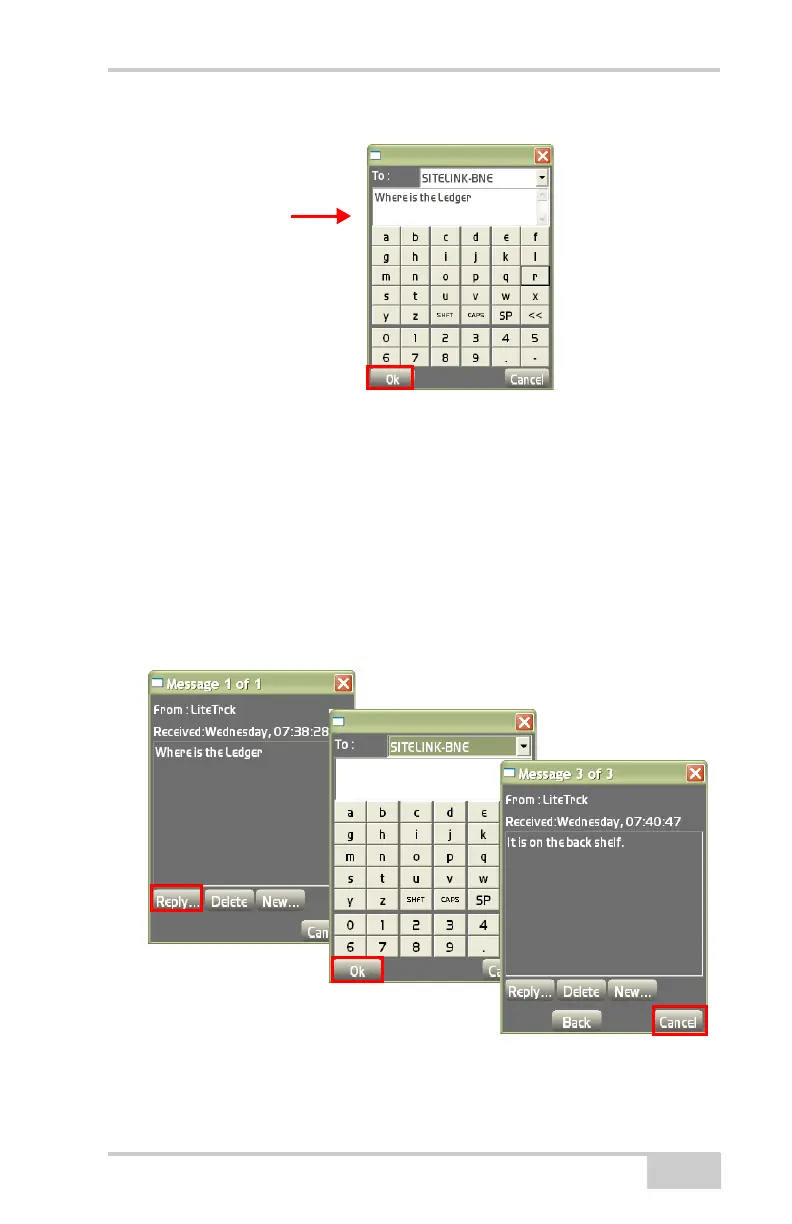
Figure 2-65. Enter a Message for the Machine Operator
To view a new message, do the following:
1. Press SetupSite-LinkView message(s).
2. On the view messages dialog box (Figure 2-66), press Reply to
answer the message shown on the screen.
The screen shows the day and time the message was sent.
3. Press Ok to send the message.
4. Press Cancel to return to the Main Screen.
Figure 2-66. Send and Receive Messages



 To Next Page