Capture/Monitor
Status
A summary consisting of the most relevant alarm/error indications is
displayed constantly. By touching the summary, you can launch a display
that contains all alarms/errors.
At the bottom of the status area are below buttons that give you access to
various capture/monitor information. By touching a button, you can launch
the corresponding information display.
OH capture
Tributary scan
Transceiver
5.2.3.2 Physical Details
Refer to Physical Details in "SDH Setup and Status".
5.2.3.3 Alarms and Errors
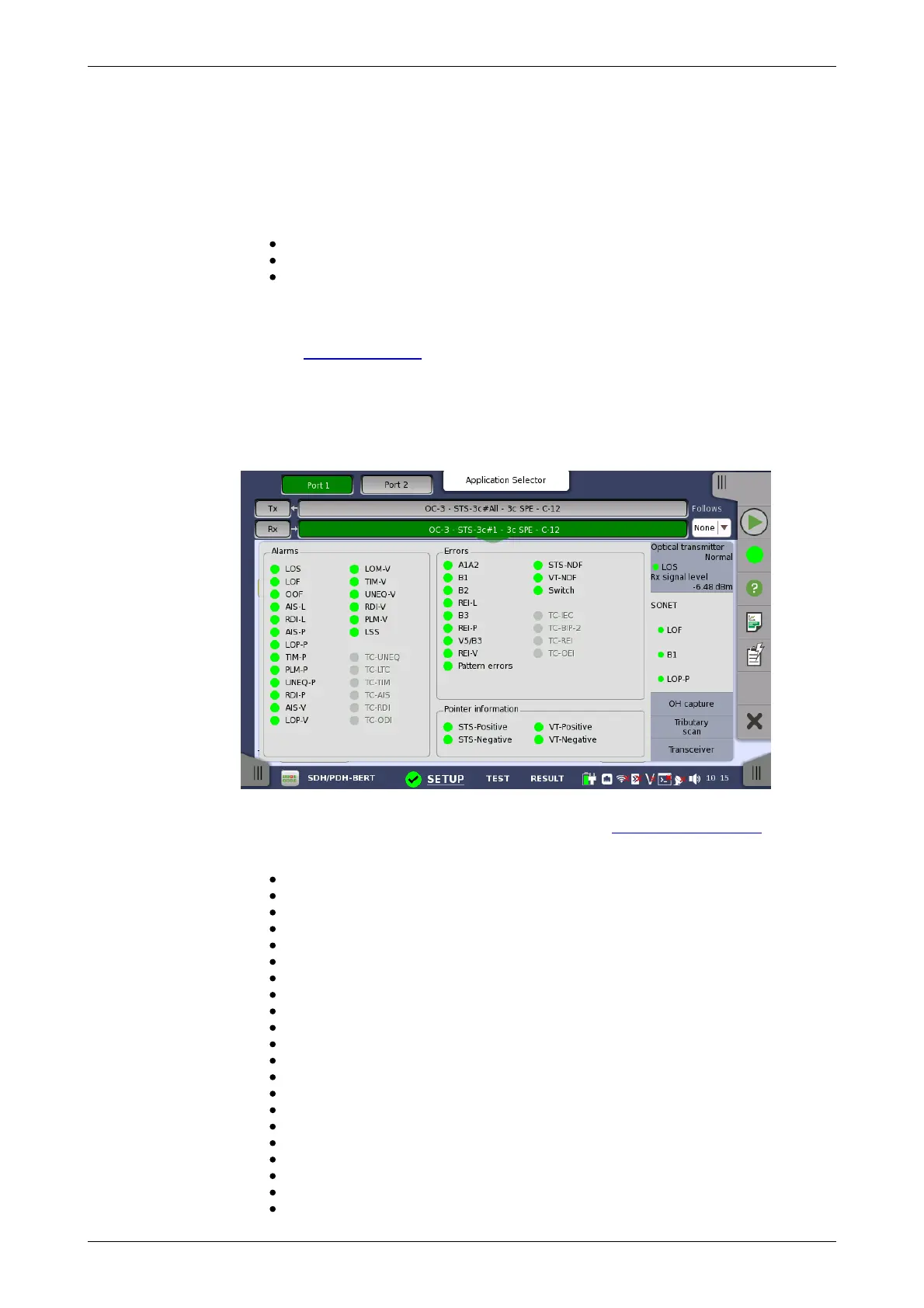
Touching the middle summary box in the status area of the Ports Setup
screen allows you to launch the dialog box shown below.
This dialog box contains detailed alarm and error information related to the
SONET interface. Status is indicated by the use of colored Lamp icons.
Alarms
LOS: Loss of Signal
LOF: Loss of Frame
OOF: Out of Frame
AIS-L: Line Alarm Indication Signal
RDI-L: Line Remote Defect Indication
AIS-P: Path Alarm Indication Signal
LOP-P: Path Loss of pointer
TIM-P: Path Trace Identifier Mismatch
PLM-P: Path Payload Mismatch
UNIQ-P: Path UNEQuipped
RDI-P: Path Remote Defect Indication
AIS-V: VT-Path Alarm Indication Signal
LOP-V: VT-Path Loss of pointer
LOM-V: VT-Path Loss of Multiframe
TIM-V: VT-Path Trace Identifier Mismatch
UNIQ-V: VT-Path UNEQuipped
RDI-V: VT-Path Remote Defect Indication
PLM-V: VT-Path Payload Mismatch
LSS: Loss of Sequence Synchronization
TC-UNEQ: Tandem Connection UNEQuipped
TC-LTC: Tandem Connection Loss of Tandem Connection














 To Next Page