Pattern Errors
Touching the Setup button launches the dialog box. Refer to Performance
Parameters in "OTN Application" .
SDH/SONET-related
SDH/SONET
G.826, G.828+G.829, M.2101.1(M.2100)
Time period
15 minutes, 1 hour, 2 hours, 24 hours, 7 days
Allocation [%]
0.00 to 100.00%
PDH/DSn-related
E1
G.821, G.826, M.2100, G.821 (expired)
E3
G.826, M.2100
E4
G.826, M.2100
DS1/J1
G.821, G.826, M.2100, G.821 (expired)
DS3
G.826, M.2100
5.9.2.2 Thresholds
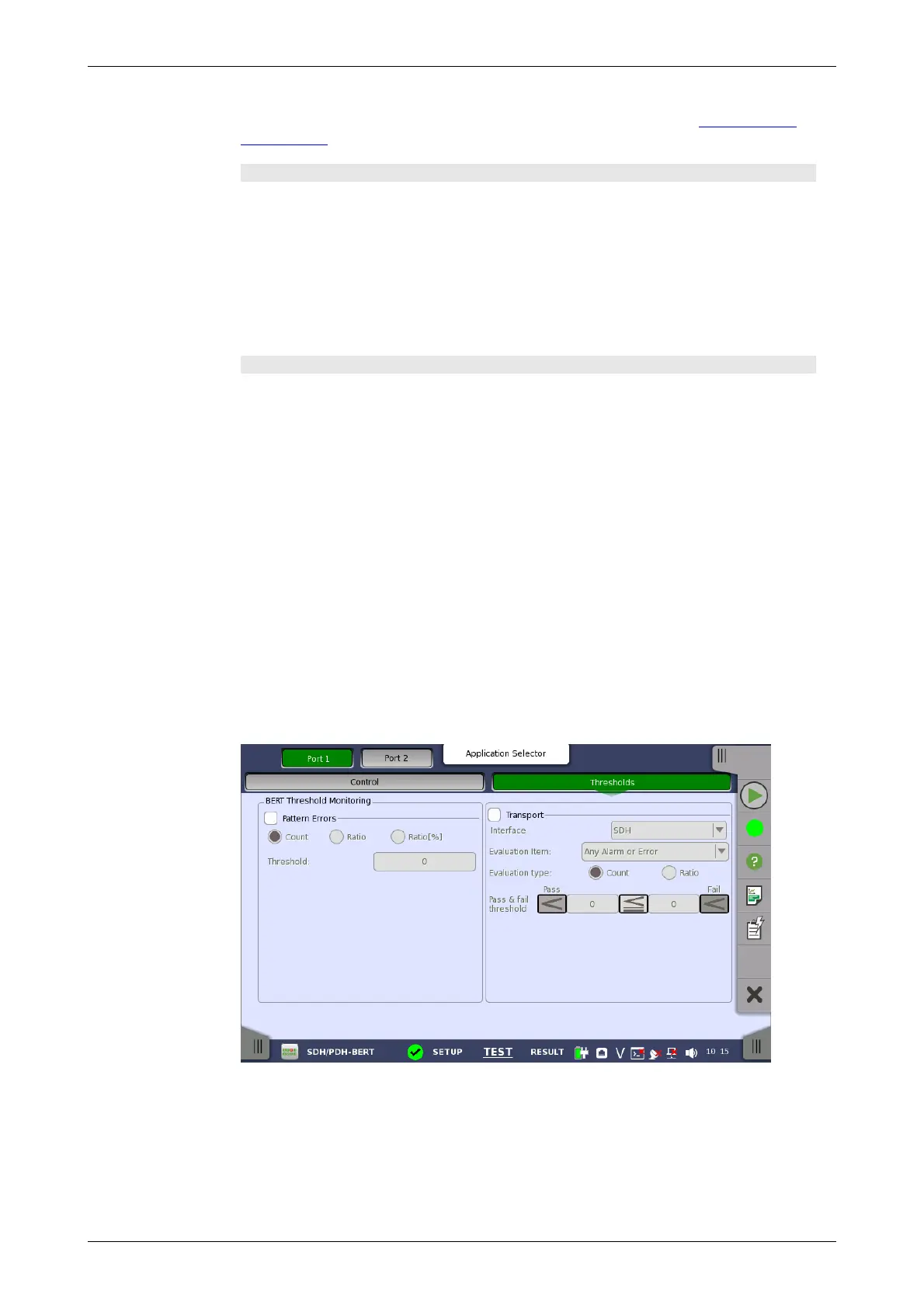
Touching the Thresholds button in the navigation area displays the
following screen.
This screen contains the parameters for setting up the various threshold
values (i.e. limits) for errors and Pass/Fail status that are used during the
monitoring.
Allows you to enable monitoring of pattern errors (i.e. bit errors) and to set up
a threshold value for the bit error ratio.














 To Next Page