Capture/Monitor
Status
A summary consisting of the most relevant alarm/error indications is
displayed constantly. By touching the summary, you can launch a display
that contains all alarms/errors.
At the bottom of the status area are below buttons that give you access to
various capture/monitor information. By touching a button, you can launch
the corresponding information display.
OH capture
Tributary scan
Transceiver
5.1.3.2 Physical Details
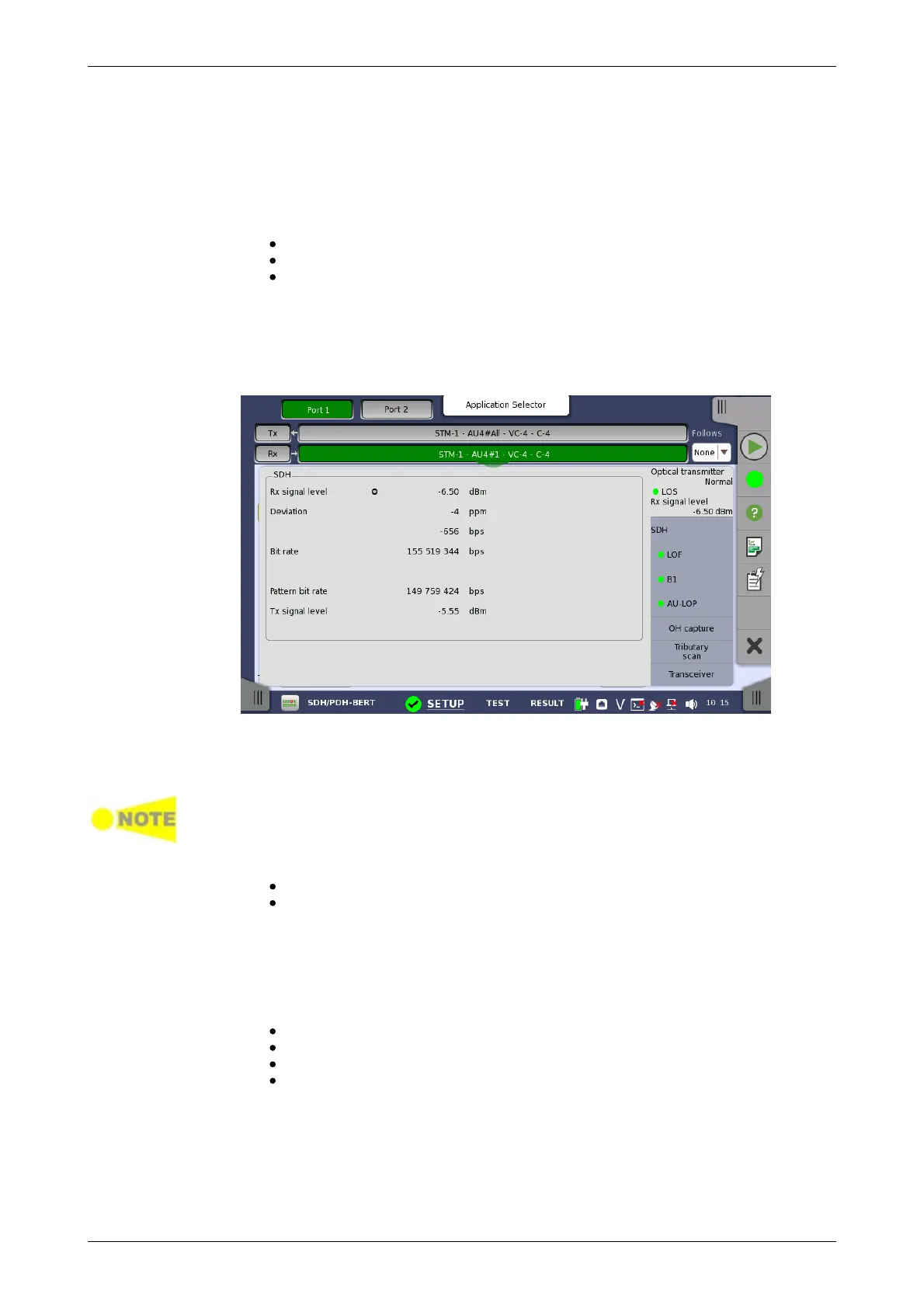
Touching the topmost summary box in the status area of the Ports Setup
screen launches the dialog box shown below.
This dialog box presents detailed information about the current physical
status of the received signal at the STM-1/4/16/64 optical/electrical interface.
The physical status information consists of the following parameters.
When Receiver is set to OFF, 'N/A's are displayed.
Rx signal level
Signal Level (Optical) shows the optical signal level in dBm.
Signal Level (Electrical) shows the electrical signal level in dB.
'nan' is displayed when input level is too low to detect the signal level. The
lamp indicates LOS status.
Deviation
This field shows the deviation from the relevant nominal bit rate:
STM-1/1e: 155 520 000 bps
STM-4: 622 080 000 bps
STM-16: 2 488 320 000 bps
STM-64: 9 953 280 000 bps
Bit rate
The current bit rate is shown (in bps).
Pattern bit rate
This field shows the effective bit rate of the patterns received (that is, the
number of pattern bits received per second).














 To Next Page