Use of colors
Audio Channel
This field shows the MFAS bits.
CAS Bits, Port1 and Port2
This table shows the status of the CAS Bits in the two ports.
For easy recognition of special bit combinations, coloring is available. Use
the Set red pattern and Set yellow pattern buttons to launch the
respective setup dialog boxes.
The color pattern consists of four binary digits. The minimum and the
maximum acceptable value is 0000 and 1111, respectively. Touch the digit
buttons to set the relevant value and then touch Ok.
To clear the whole word e.g. to make the line ready for new digit settings,
touch the Clear all button.
5.3.3.6 Audio
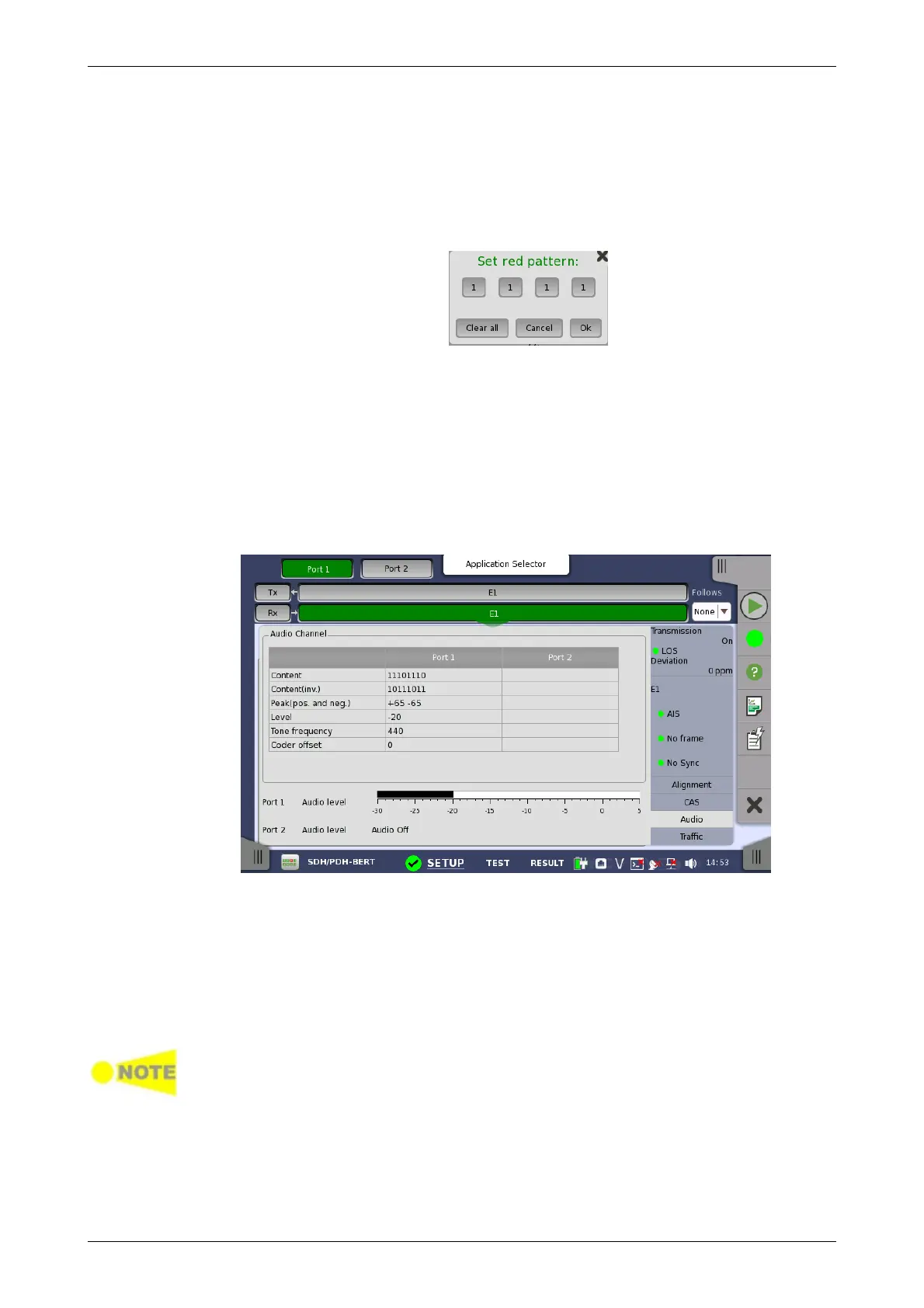
Touching the Audio button in the status area of the Ports Setup screen
launches the status shown below.
This dialog box provides information about audio channels.
Content
The received line content. For sub-rates this field shows the content of the
subchannel.
Content (inv.)
The received line content with even bits inverted. With A-law coded speech it
is possible to observe the A-law code words before the even bit inverting.
DS1/J1 inverts all the bits.
Peak (pos. and neg.)
The peak value of the signal. This only applies for A-law speech and it
represents the largest received A-law coded value.
Level
The level of the audio signal is shown here.














 To Next Page