Pattern Errors
Sequence errors
Service
disruption
Total Frame
Difference
Transport
6.2.2.4 Thresholds
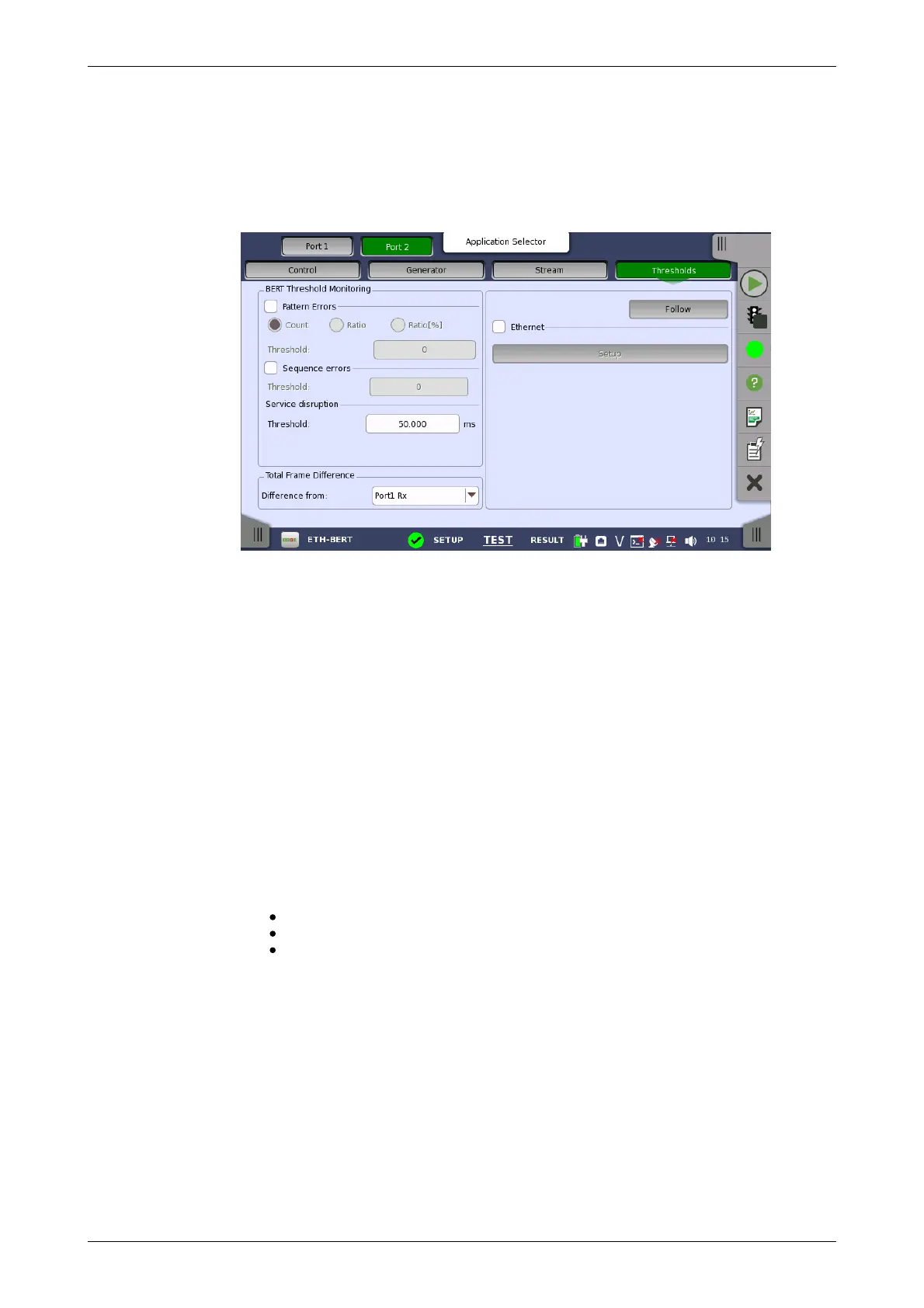
Touching the Thresholds button in the navigation area displays the
following screen.
The Follow button appears when the Port 2 settings can follow Port 1.
This screen contains the parameters for setting up the various threshold
values (i.e. limits) for errors and Pass/Fail status that are used during the
monitoring.
Allows you to enable monitoring of pattern errors (i.e. bit errors) and to set up
a threshold value for the bit error ratio.
Choose whether the threshold is specified as an absolute value or a
percentage, using the Count, Ratio and Ratio (%) radio buttons, and then
specify the value in the Threshold field.
Allows you to enable monitoring of sequence errors and to set up the
relevant threshold value.
If you specify a threshold value for the service disruptions (using the
Threshold field), any disruption whose maximum duration time exceeds
the threshold value will be marked in red on the Test Result screen.
Allows you to select the reference port to measure the differential time, using
Difference from: drop down menu.
This setting appears in case of following applications on OTN.
BERT
Mon./Gen.
Reflector
When you select the check box, you can enable alarm or error thresholds.
Interface
Fixed to OTN.
Evaluation item
Select the item to evaluate. If selecting other than Any Alarm or Error,
another menu appears.
Evaluation type
Select the relevant type.
Pass & fail threshold














 To Next Page