Alarms/Errors/
Others
Audio Time Slots for all ports are marked, but it is only possible to change the
time slots of the current port.
Touching this button will convert the table to display time slot content.
Touching this button will convert the graphic to display traffic.
Icon PCM description
Flags detected in currently selected signaling channel
Channel activity
Touching Reset button will clear icons.
Audio level
Two dBm meters show the volume of the currently selected audio channel
(Port1 - Port2).
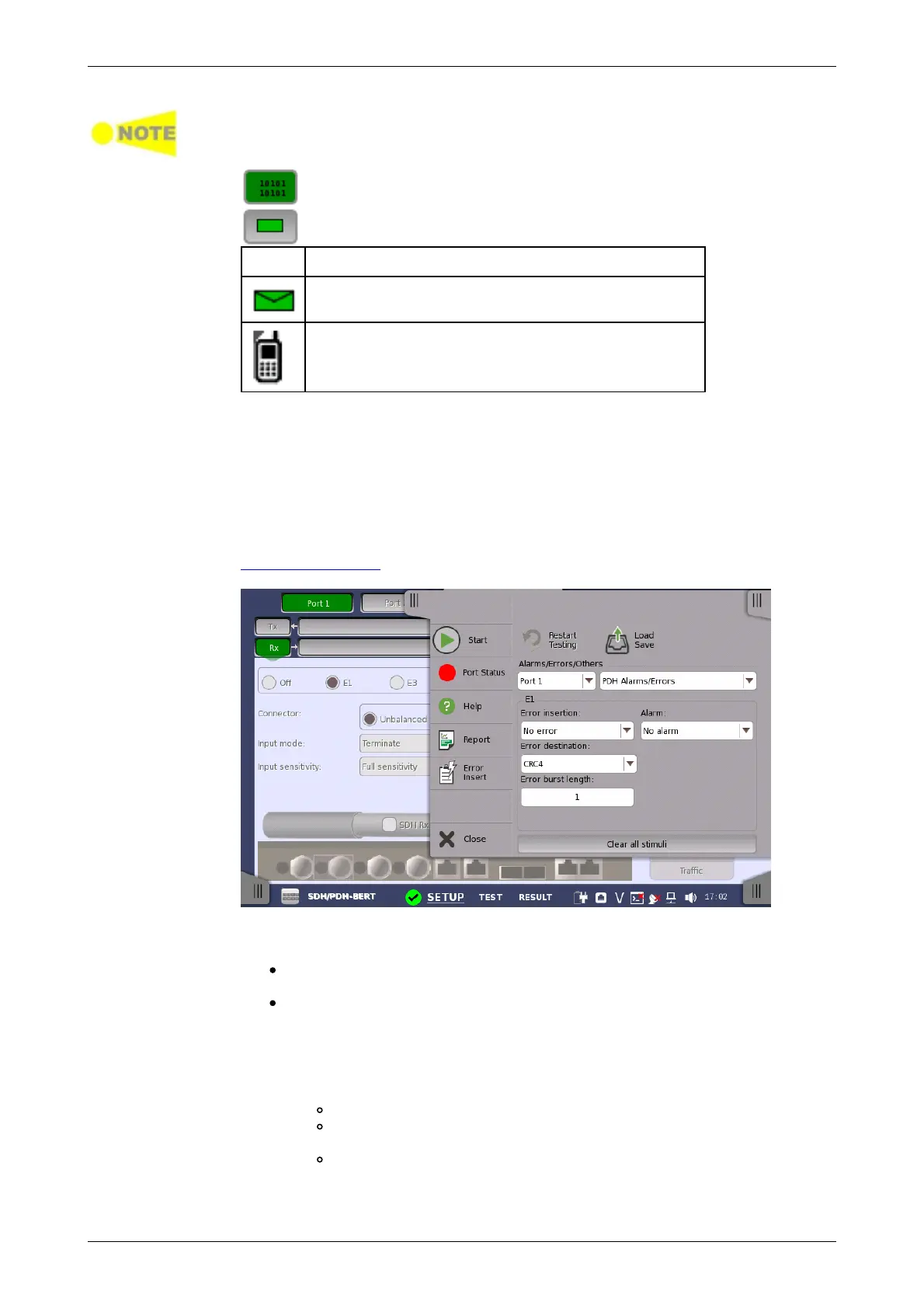
5.3.4 Errors/Alarms Insertion
This section describes the errors or alarms insertion for the PDH layer on the
Application toolbar.
Select the port to insert errors, and the stimuli type. The settings items vary
depending on the selected stimulus type.
PDH Alarm/Errors: Inserts errors or alarms related the PDH multi frame
or the pattern error.
PDH frequency: Adds the frequency offset to the PDH bit rate.
5.3.4.1 PDH Alarms/Errors
1. Select Error insertion or Alarm using the drop down menu.
Alarm will be inserted continuously.
No error: Turns off inserting Alarms or Errors.
Manual: Inserts errors in the specified counts if you touch the
Error Insert icon.
Burst*1E-03 to Burst*1E-07: Inserts errors of burst length in the
specified rate continuously. For example, Error burst length is
set to 5 and Burst*1E-06 is selected, the errors will be inserted
in five straight frames per one million frames. The Error Insert icon














 To Next Page