Frames per Burst
(Burst Length)
Most of the settings for Latency are identical to the ones described above in
the Throughput section. Please see the detailed descriptions in that section
in addition to the Latency-specific information provided here.
Only run steps where other test passed
Allows you to select the other test that must have passed. It is possible to
choose between: Throughput, Frame Loss, and Throughput and Frame
Loss.
In addition, you can specify a tolerance level (utilization multiplier).
When 'Only run steps where other test passed' is selected, all other settings are
forced identical for the Frame Loss and Latency tests.
'Only run steps where other test passed' is enabled in case of 'Switch/Router
test' or 'Single ended network test'.
If duration 'Repeats' is set to 0 (zero), the test will run a single time. If it is set to
1, the test will run two times (repeated once).
6.9.2.6 Burst
Only available if you have specified a Burst test on the 'Control' of the Test Setup
screen.
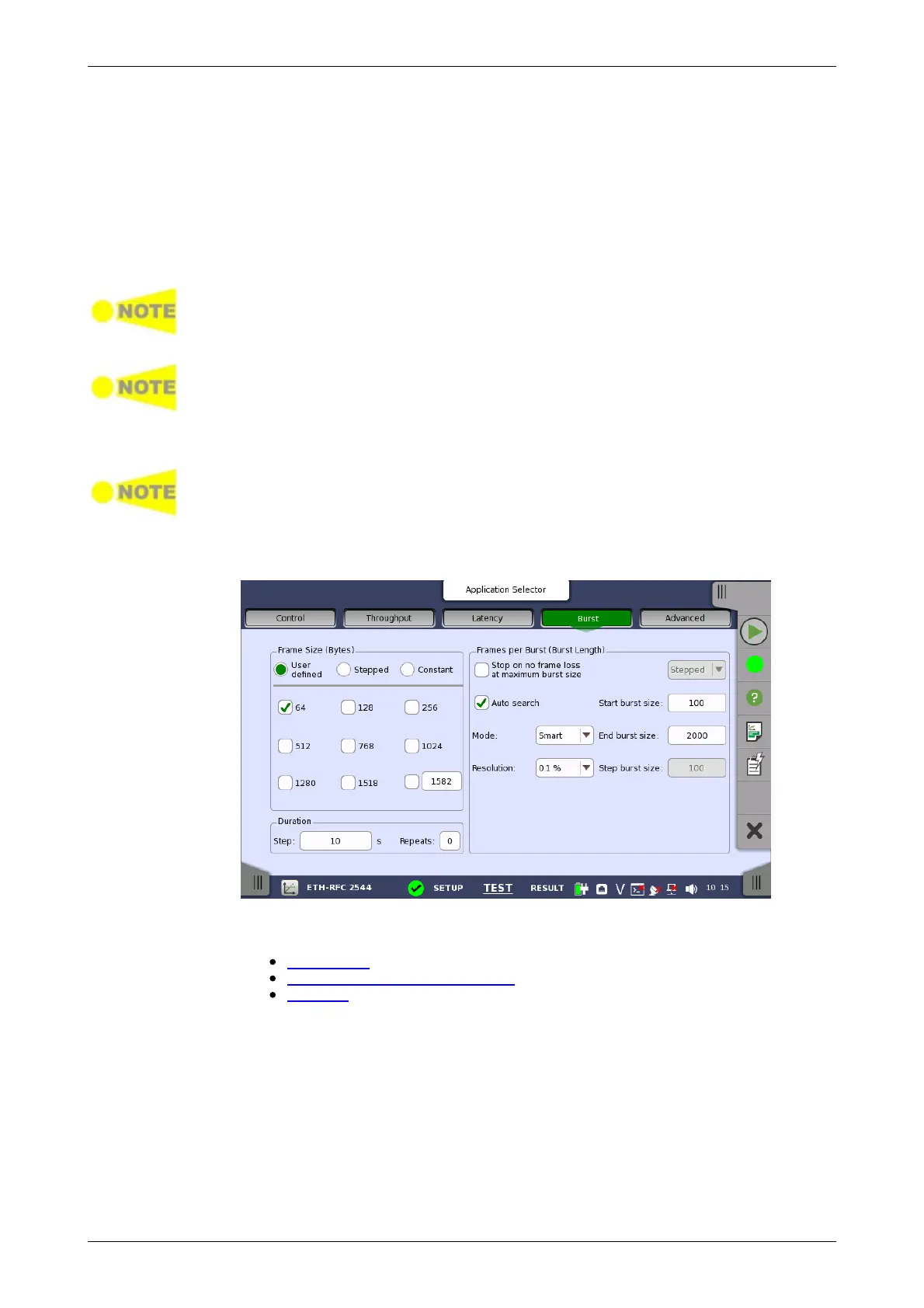
Touching the Burst button in the navigation area will display the screen
shown below.
This screen allows you to configure the following parameters related to an
RFC 2544 Burst test:
Frame Size
Frames per burst (burst length)
Duration
Frame Size and Duration are identical to the ones described above in the
Throughput section. Please see the detailed descriptions in that section in
addition to the Burst-specific information provided here.
The number of frames per burst can either be varied (selecting Stepped in
the drop-down menu) or constant (selecting Constant).
Stepped works like Stepped for frame sizes, i.e. the test starts with Start
burst Size and in intervals of Step burst size increases or decreases to
End burst size.
Constant allows you to specify a Start burst size.














 To Next Page