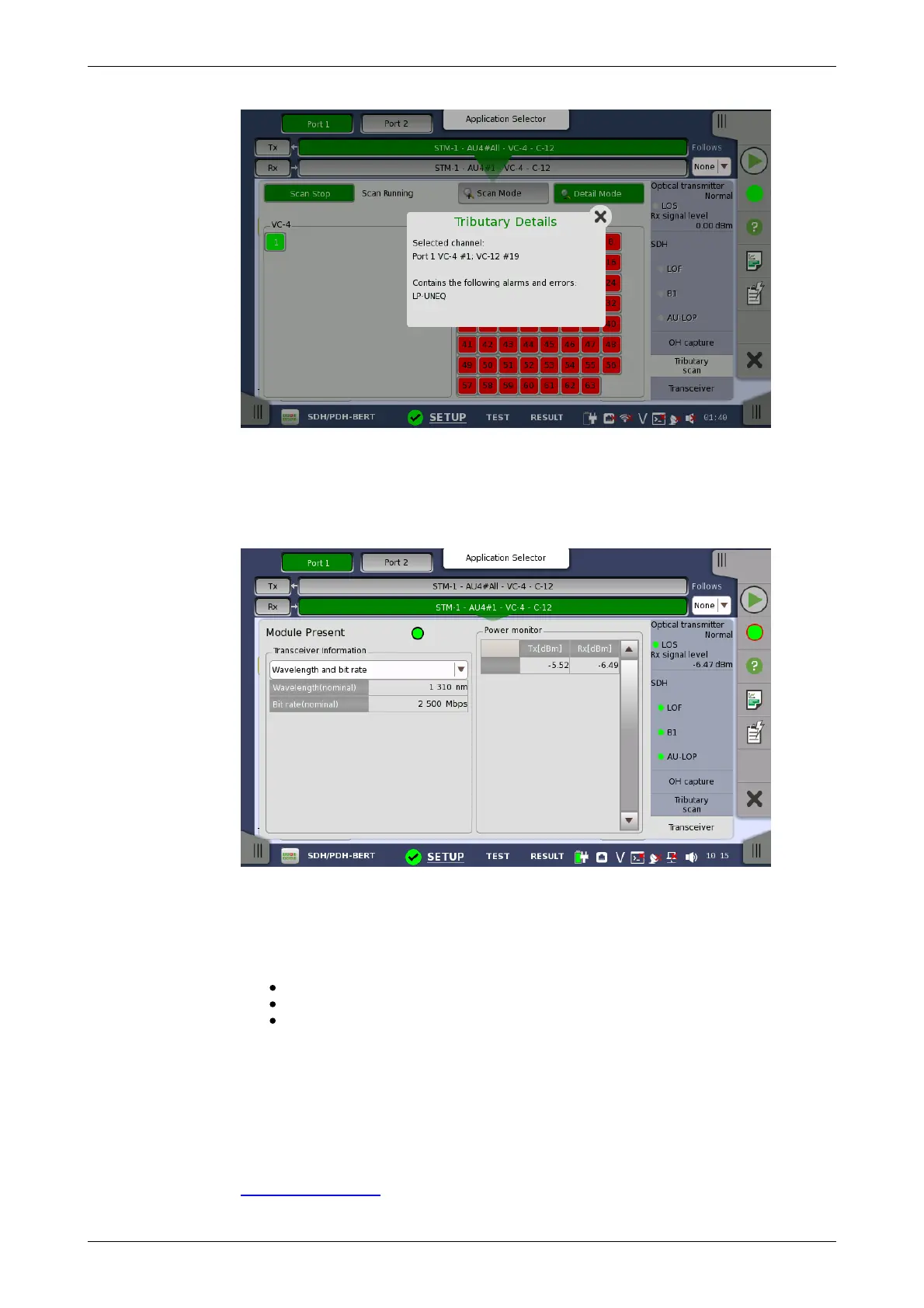
Module Present
Transceiver
Information
Power monitor
5.1.3.6 Transceiver
Touching the Transceiver button in the status area of the Ports Setup
screen launches the dialog shown below.
This dialog box presents status information about the optical transceiver.
Green indicates that an optical transceiver is currently mounted.
Select the information from pull down menu.
Wavelength and bit rate shows the nominal wavelength and bit rate.
Compliance shows the available standards.
Vendor information shows the data stored in the optical transceiver.
The optical power read out from the transceiver is displayed.
The transmitting optical power is displayed in left column. The received
optical power is displayed in right column.
5.1.4 Errors/Alarms Insertion
This section describes the errors or alarms insertion for the SDH layer on the
Application toolbar.














 To Next Page