Refreshing
information
Displaying
detailed
information
B3: The byte of BIP-8 (Bit Interleaved Parity 8)
HP-REI : High order Path Remote Error Indication
V5/B3: BIP-2 of VC-12/VC-11 or BIP-8 of Low order VC3
LP-REI: Low order Path Remote Error Indication
Pattern errors: Bit error detected in the payload
AU-NDF: Administrative Unit New Data Flag
TU-NDF: Tributary Unit New Data Flag
Switch: APS switching occurred
TC-IEC: Tandem Connection Incoming Error Count
TC-BIP-2: Tandem Connection Bit Interleaved Parity-2
TC-REI: Tandem Connection Remote Error Indication
TC-OEI: Tandem Connection Outgoing Error Indication
Pointer Information
AU-Positive: Administrative Unit Positive stuffing
AU-Negative: Administrative Unit Negative stuffing
TU-Positive: Tributary Unit Positive stuffing
TU-Negative: Tributary Unit Negative stuffing
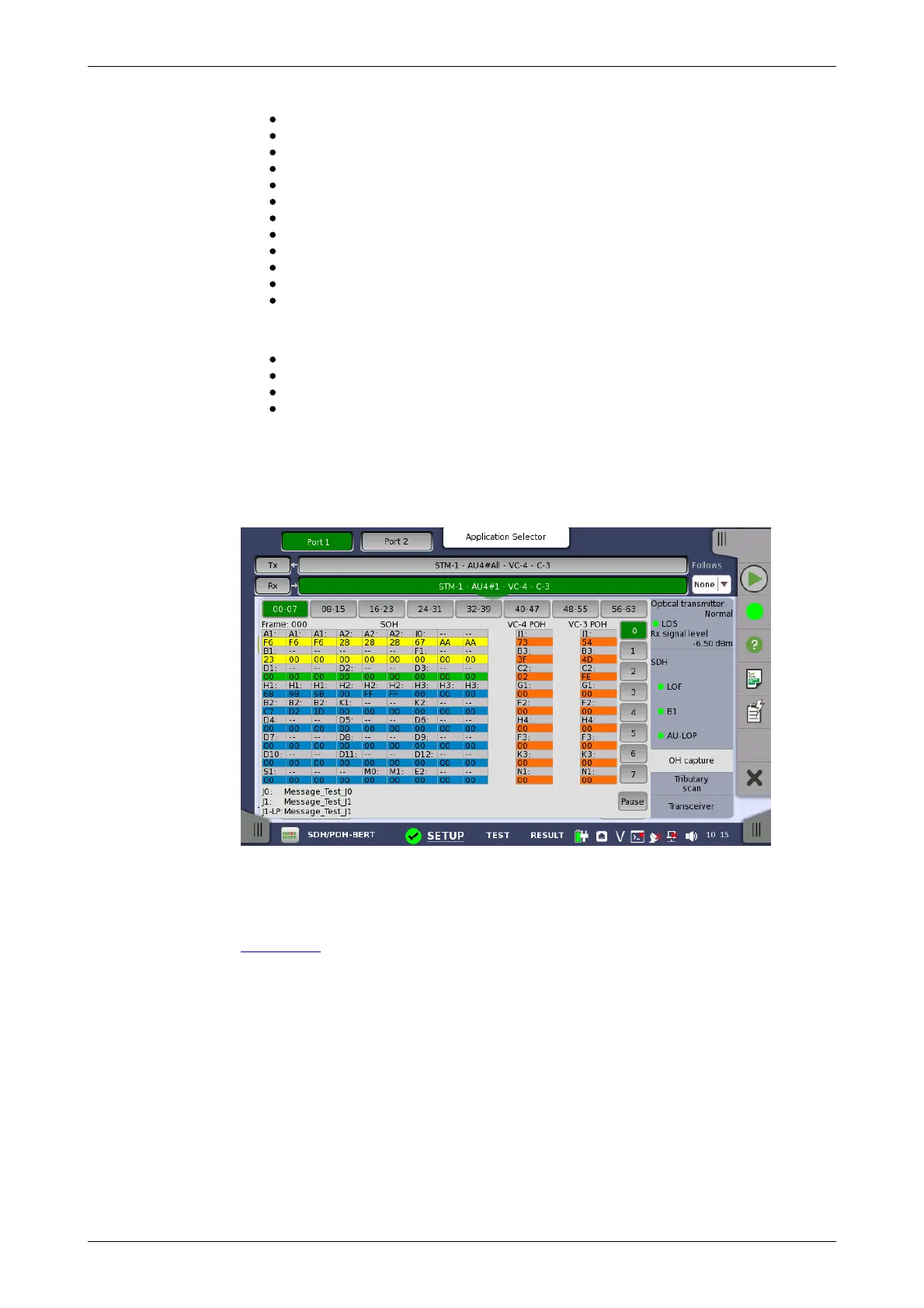
5.1.3.4 OH capture
Touching the OH capture button in the status area of the Ports Setup
screen launches the screen shown below.
This screen shows SDH capture status information for one frame at a time.
The frame number captured in one time is 64. Touch the frame selection
buttons to select which frame to display.
The position of A1, A2 bytes in SOH for STM-4/16/64, refer to description in
SOH Editor.
Refresh once
When touch the Pause button, the Update button is showed at left side
of the Pause one and information is not updated. Touching the Update
button will refresh the dialog information once.
Refresh continuously
When the dialog is open and touch the Pause button at refresh once
mode, information is updated continuously.
Detailed overhead byte information can be accessed by touching a specific
byte. This will launch a separate dialog containing a description of and
details about the selected byte.














 To Next Page