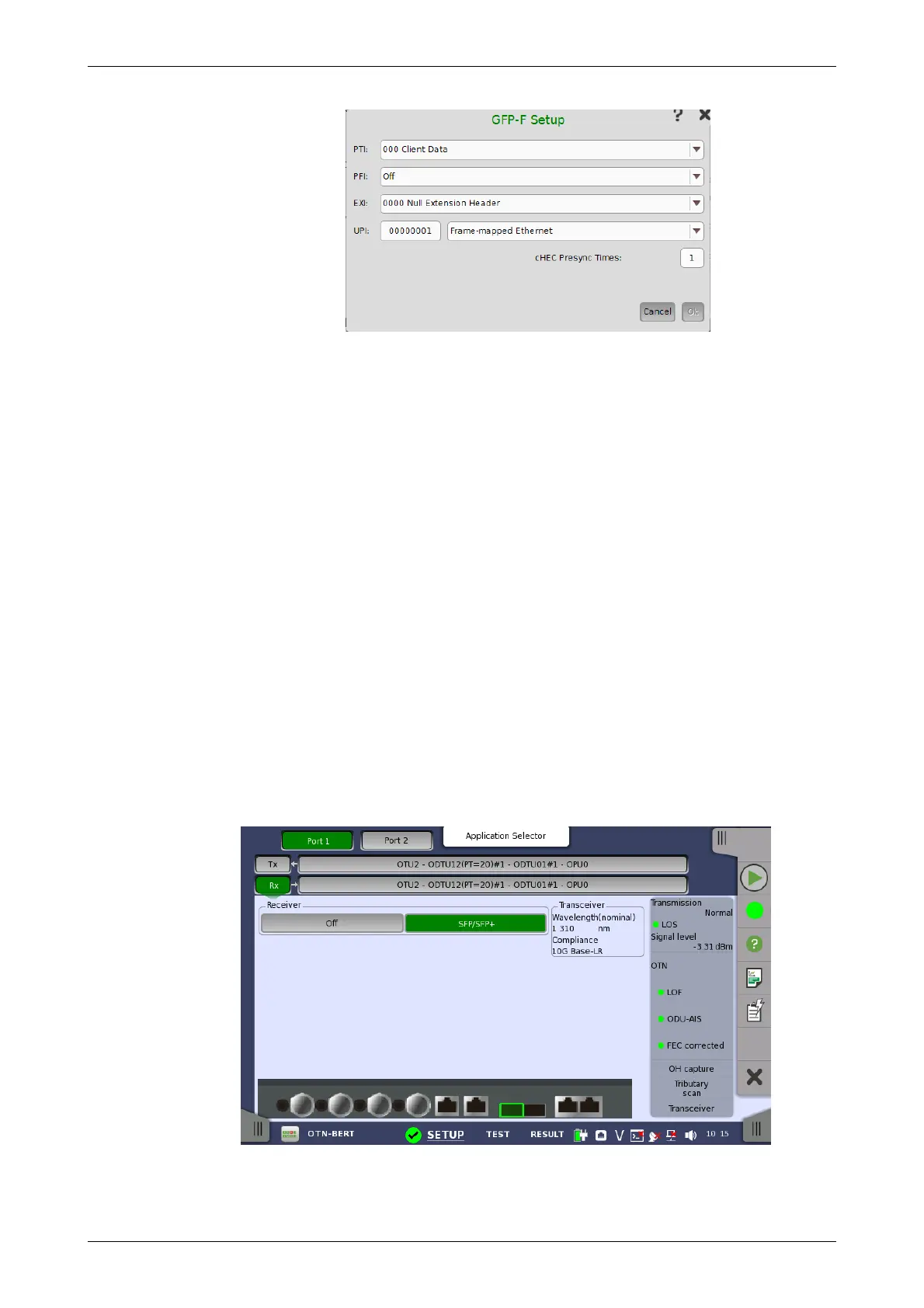
PTI
Set three bits of PTI (Payload Type Identifier). When setting PTI to 100-Client
Management, all transmitting GFP-F frames is Client Management Frame.
PFI
Set a bit of PFI (Payload Frame Check Sequence Identifier). On presents
payload FCS (Frame Check Sequence). Off absents payload FCS.
EXI
Set four bits of EXI (Extension header Identifier).
UPI
Set eight bits of UPI (User Payload Identifier). When PTI is 000 Client Data ,
set the type of payload. When PTI is 100 Client Management, set the type
of management signal.
cHEC Presync Times
The number of continuous receptions of normal cHEC (core Header error
check) until HUNT status is transited to SYNC status
7.1.2 Receiver Setup
7.1.2.1 Physical Setup
When the receiver is set up with an OTUk interface, touching the Rx button in
the navigation area will launch the following screen.
This screen allows you to make the physical setup of the receiver in OTN
mode. It can also be used to inspect the current status of the selected port
by the button in Navigation area.














 To Next Page