Input mode
Follows
5.4.2 Receiver Setup
5.4.2.1 Physical Setup
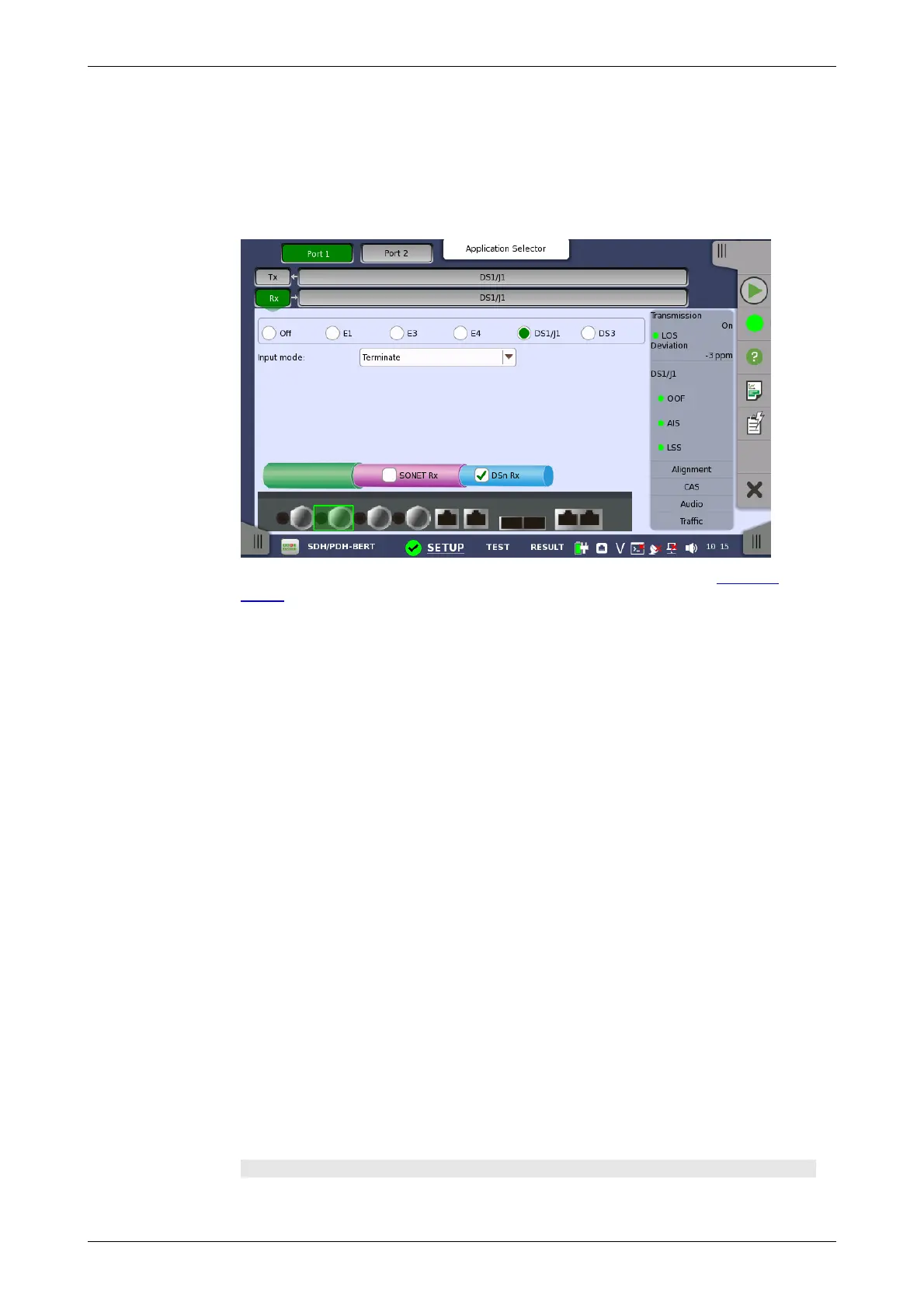
When the receiver is set up with only a DS1/J1 interface, touching the Rx
button in the navigation area will launch the following screen.
For the switching method between PDH Rx and DSn Rx, refer to Physical
Setup in "E1 Setup and Status". Touch DS1/J1 radio button. Touching Off
radio button disables the receiver.
This screen allows you to make the physical setup of the PDH receiver in
DS1/J1 mode. It can also be used to inspect the current status of the selected
port.
The input signal is taken form the corresponding Bantam connector.
Select the mode of input.
Terminate
Used when the instrument is used as a tester and the receiver is the only
device connected to the line. The input impedance is nominal.
Bridged
Used when the receiver is connected directly in parallel to a line carrying
live traffic. Please observe that this way of connecting may disturb the
monitored line - connection through a protected monitor point, as well as
using the input mode Monitor, is recommended instead.
Monitor
Used when connecting to protected monitoring points. The input
impedance is nominal.
5.4.2.2 DS1/J1 Signal Setup
Touching the navigation area button which represents the receiver's DS1/J1
layer will display the screen.
To make the currently selected receiver follow either the transmitter or Port
1 receiver (i.e. copy its settings), touch the drop-down menu in the
navigation area and select the relevant value. The receiver settings continue
to follow the change of either the transmitter or Port 1 receiver. The default
setting is None. Note that the Port 1 receiver cannot follow the Port 2
receiver.
Frame tab page
The Frame tab page contains the following parameters:














 To Next Page