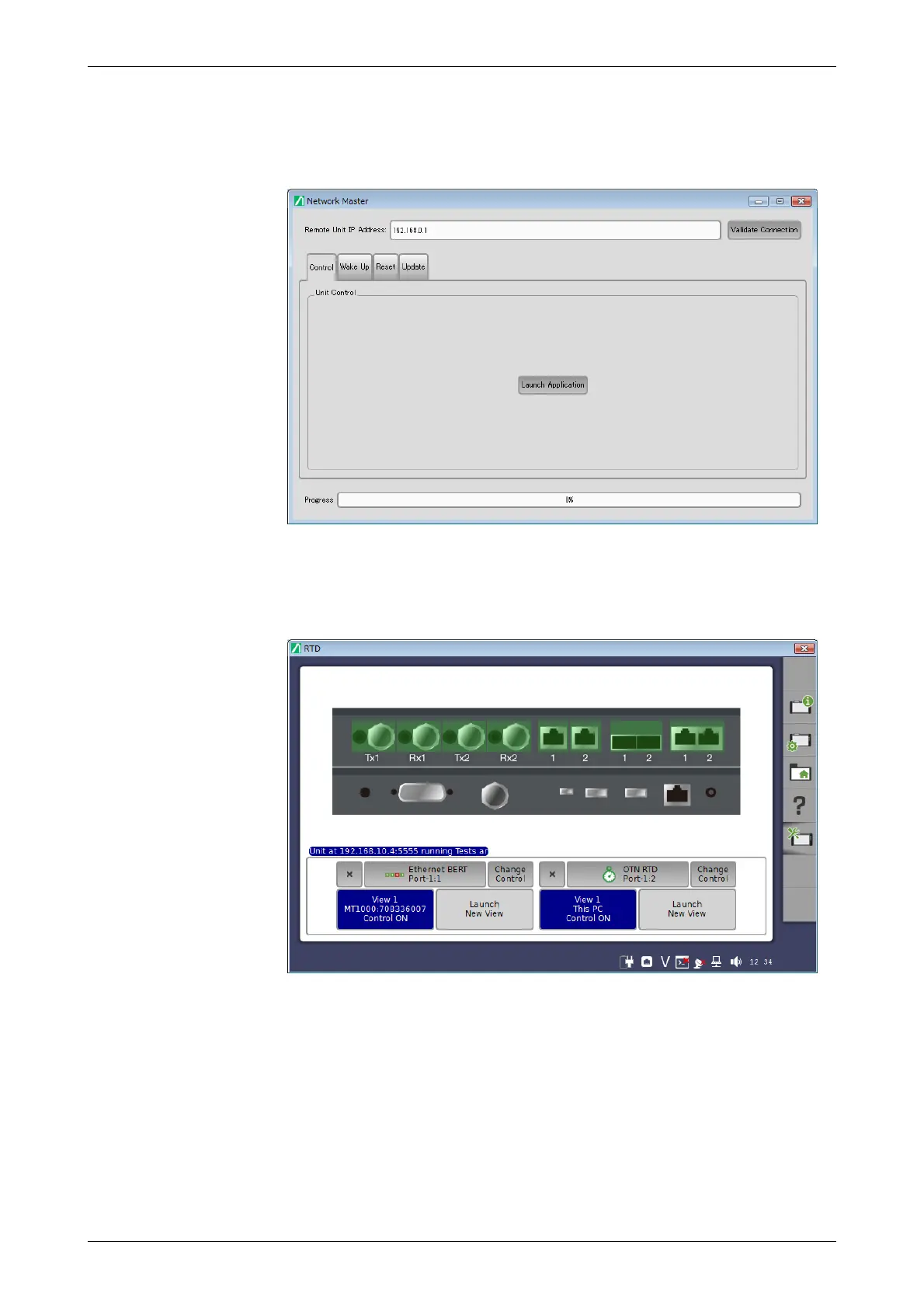
Executing Remote Operation on control PC:
1. If Control Software launched, the initial screen for remote operation
appears as below.
2. Enter the IP address of the Network Master to Remote Unit IP Address.
3. Click Validate Connection.
4. Clicking Launch Application in Control tab will display the Network
Master screen.
To exit Control Software, click Close button at right hand top of the window.
Power button menu appears, and click Close.
3.5.5 Remote Upgrade
If the MX100001A Control Software version differs from that of Network
Master, when clicking Launch Application, the software upgrading dialog
appears. Upgrade Network Master Software to the version compatible with
MX100001A Control Software.














 To Next Page