Pretest Options
End to End Test
(master side)
Stop on no frame loss at maximum burst size
If selected, the burst test stops on no frame loss at maximum burst size.
Auto search
If selected, the burst length is searched automatically. Select the search
method from Mode. Select the search resolution from 0.1 %, 1.0 %, or 10.0
%.
The check boxes are enabled except when selecting 'End to End network test'
on Control screen.
If duration 'Repeats' is set to 0 (zero), the test will run a single time. If it is set to
1, the test will run two times (repeated once).
6.9.2.7 Advanced
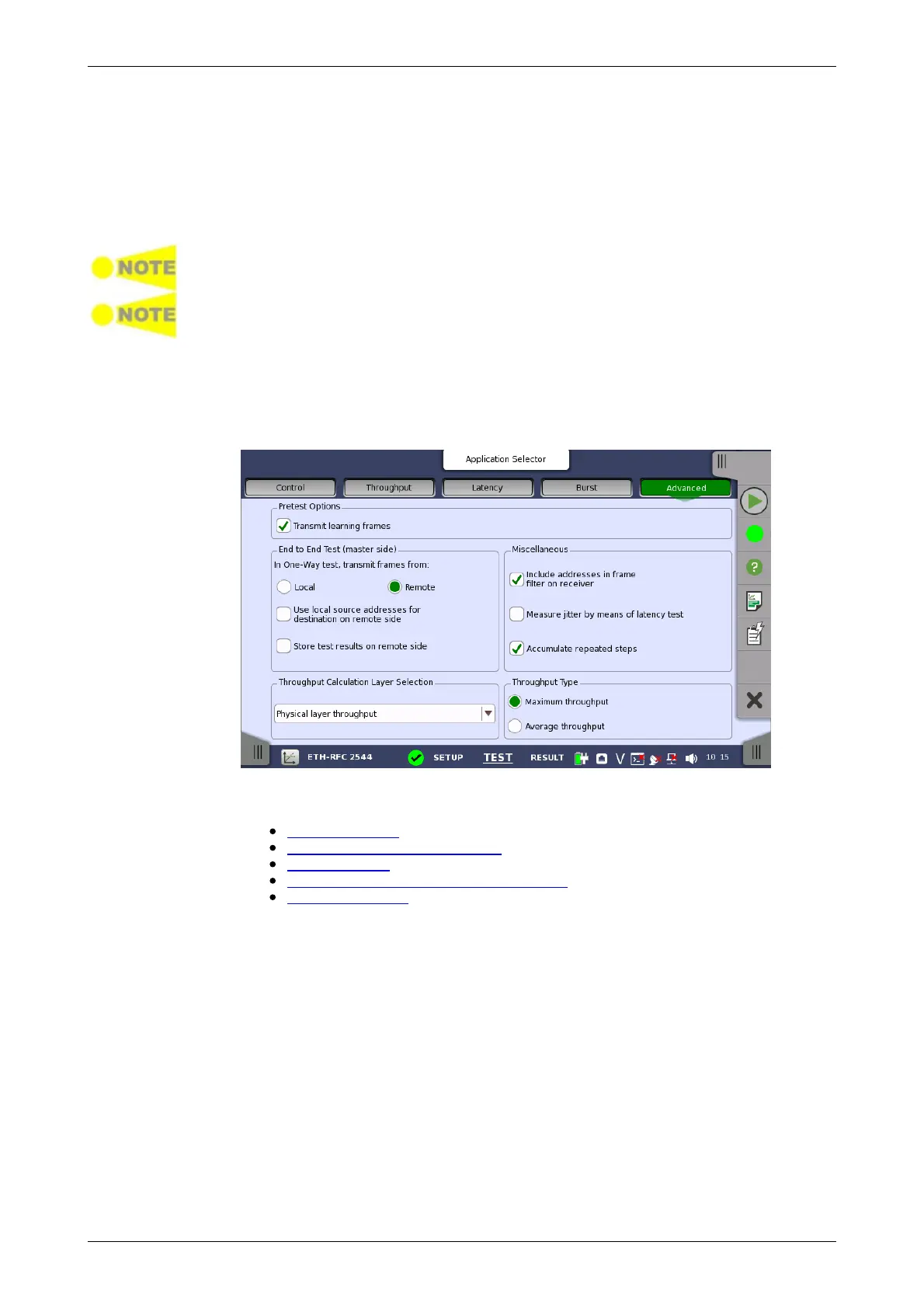
Touching the Advanced button in the navigation area will display the screen
shown below.
This screen allows you to specify various advanced settings for the RFC
2544 test(s).
Pretest Options
End to End Test (master side)
Miscellaneous
Throughput Calculation Layer Selection
Throughput Type
Transmit learning frames
When this option is enabled, the RFC 2544 test will send out a number of
'learning frames' before the first test-step starts on each port. This happens
to train network equipment, so that initial latency results will not be invalid.
In One-Way test, transmit frames from
This parameter defines the direction of the frames when transmitted during
an End to End test with the One-Way setting enabled. Available directions
are: Local or Remote.














 To Next Page