Application
Selector
4.1.3.1 Starting the Application
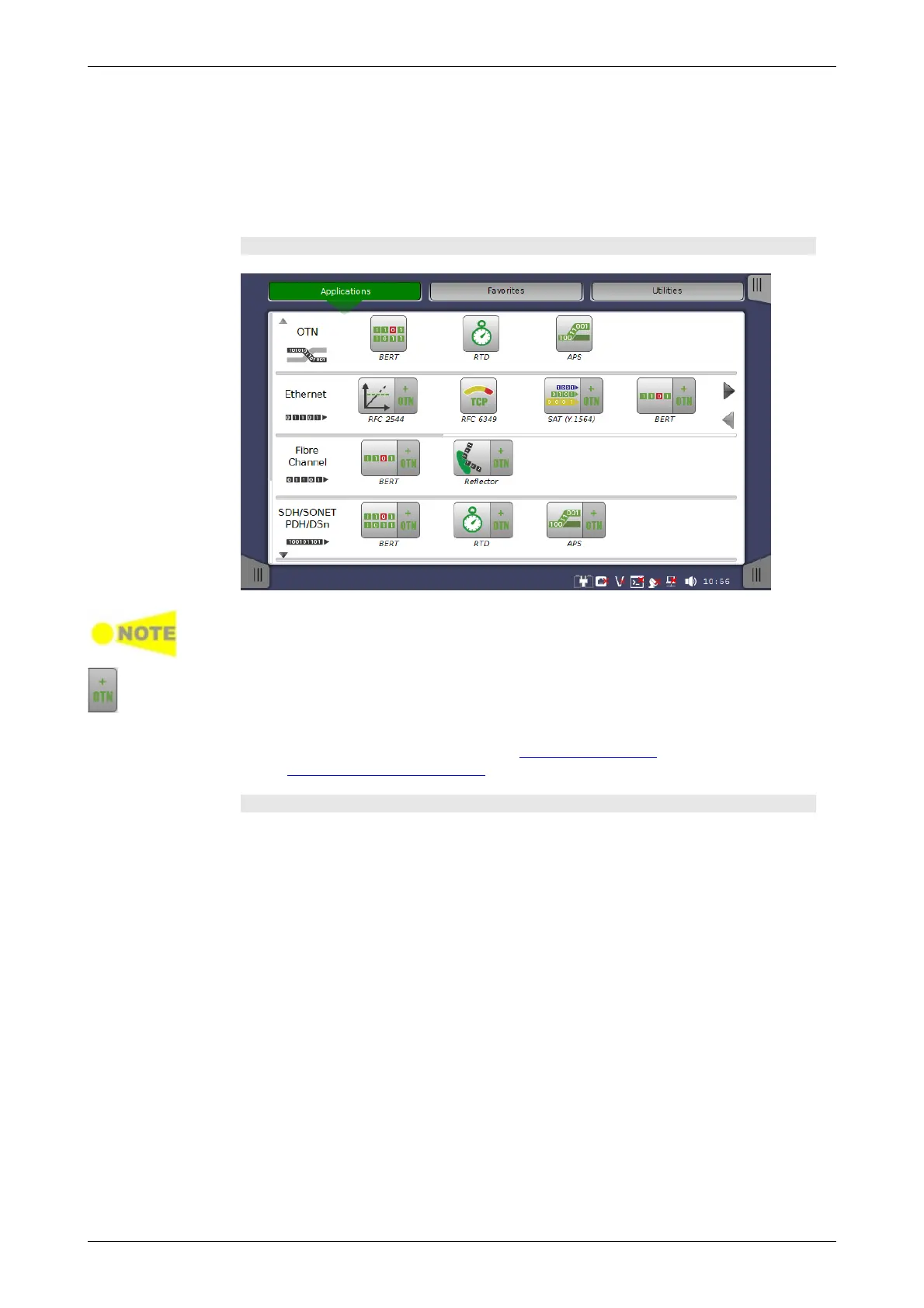
The Application Selector screen is the main entry point after startup of
the Network Master. From here you can choose which application/test to run:
either one of the standard applications or a previously saved pre-configured
application.
Applications
The icon you need may not be displayed because icons on screen are limited to
four. You may need to scroll the row of applications to display the relevant icon.
Touching + OTN adds OTN layer for SDH/SONET Ethernet or Fibre Channel
applications.
Aside from the application buttons, the application selector screen also
contains a tab for showing/hiding the Instrument toolbar and a navigation tab
to the Result File Browser screen.
Favorites
A Favorite application is basically an application with an associated set of
port resources and specific settings. When launching a Favorite application,
the associated port resources are automatically allocated and the
associated settings are subsequently loaded.
Favorites require a specific number of resources to run corresponding to the
number of resources used when the Favorite was first created. If the
resources of the Favorite are not available, user is prompted to select
alternative port(s).
Touching Favorites button displays the screen below.














 To Next Page