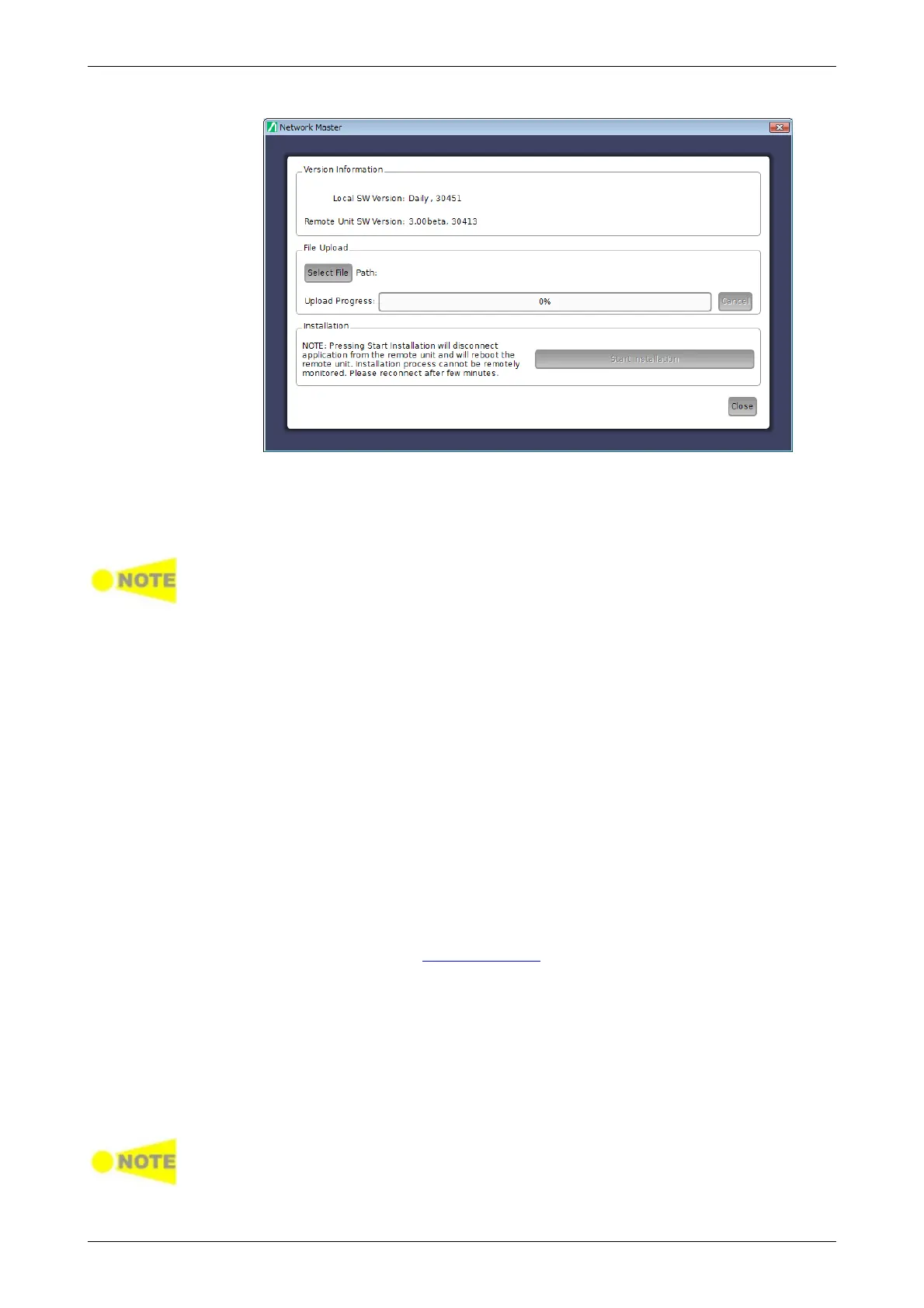
1. Touch Select File to launch the dialog box.
2. Select the software file. Progress bar shows Upload Progress. Touching
Cancel aborts the file uploading.
3. After file uploading finishes, touch Start Installation.
Touching Start Installation will reboot the Network Master. Installation process
cannot be remotely monitored. Please reconnect after a few minutes.
3.5.6 Remote Wake Up
If Network Master is in Stand-by mode, it is possible to remotely get the unit
into the Operation state.
1. Click Start > All Programs > Anritsu > MX100001A folder.
2. Click MX100001A-V*.**-Remote.
3. On the Control Software startup screen, enter the IP address of the
Network Master in the Remote Unit IP Address field.
4. Click Start in Wake Up tab.
5. After the progress bar reaches 100%, click OK in the dialog box.
3.5.7 Remote Reset
The Remote Reset function can be helpful if the unit is on a remote site and
unexpectedly freezes or becomes unresponsive. The possibility to remotely
reset an instrument can be disabled by unchecking the Enable Remote
Reset check box in the Remote Control options.
To remotely force a reboot the Network Master, specify the Network Master
using its serial number.
1. On the Control Software startup screen, enter the IP address of the
Network Master in the Remote Unit IP Address field.
2. Enter the serial number in the Controller SN field on the Reset tab.
3. Click Start on the Reset tab.
4. After the progress bar reaches 100%, click OK in the dialog box.
Make sure to save measurements and settings before initiating Remote Reset
function. The Reset will force the Network Master to reboot. All unsaved or
ongoing measurements will be lost.














 To Next Page