7.1.1.5 TP/TS
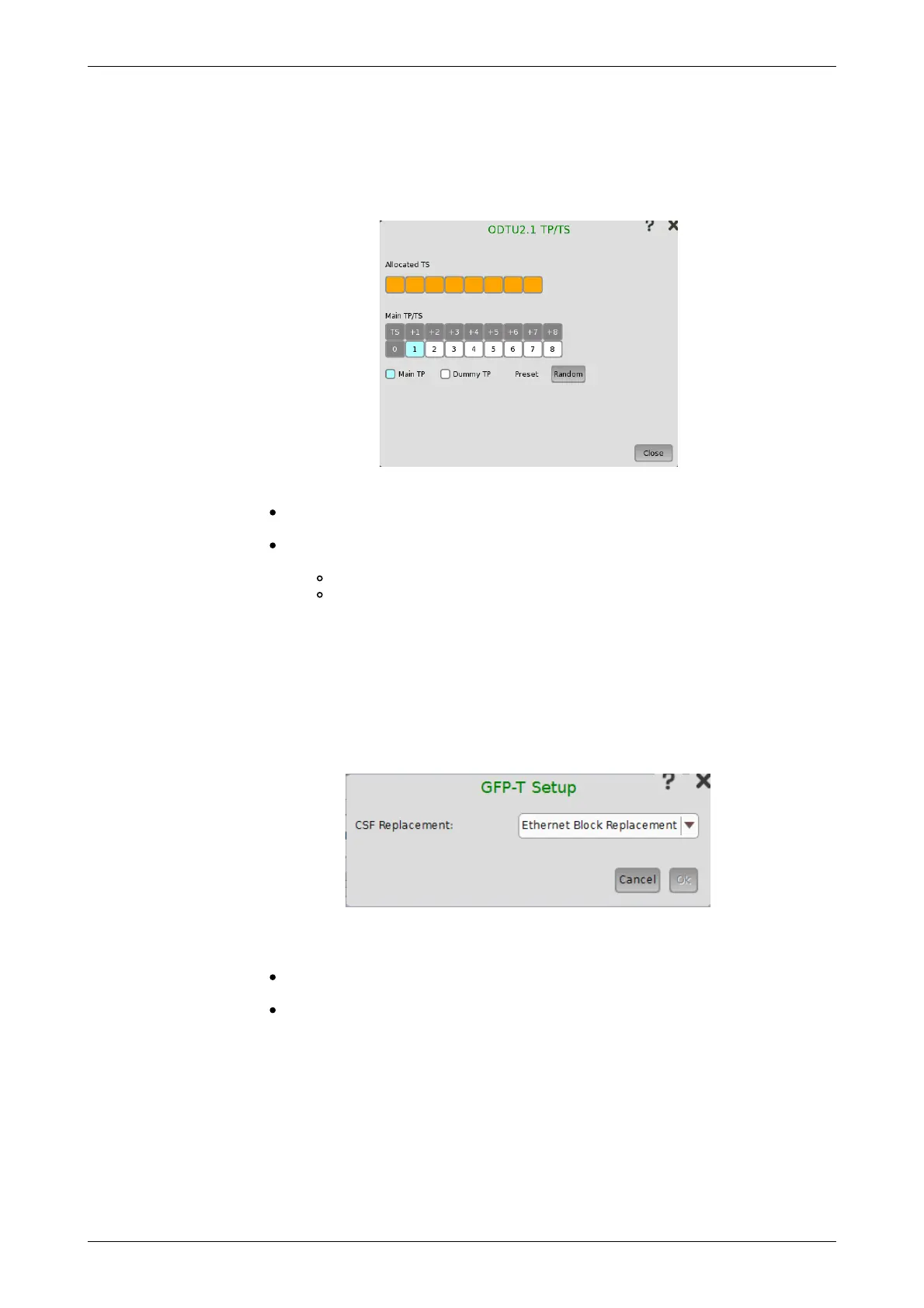
Touching a TP button on the Ports Setup screen launches the TP/TS
dialog box. Note that the contents and layout of the dialog box depends on
which higher order type has been selected.
This dialog box allows you to define OTUk frame mapping.
Main TP/TS: Tributary Port/Slot number of Measurement target for Lower
order ODU frame.
Dummy TP: Condition of TP/TS(s) other than Main TP/TS. Transmitted
signal is selected by Dummy CH.
Copy: The same signal as Main TP/TS is transmitted.
Unused: Lower order ODU frame constructed of PRBS mapping is
transmitted.
7.1.1.6 GFP-T
GFP-T means Transparent Generic Framing Procedure, defined by ITU-T Rec.
G.7041/Y.1303. When OTN layer is added to Ethernet applications, GFP-T
button appears in the setup area of the Ports Setup screen if Client Signal
is selected to GbE. Touching an GFP-T button launches the below dialog
box.
CSF Replacement
Setting behavior of GFP-T when CSF (Client Signal Fail) occurs.
Ethernet Block Replacement :Transmits 10B data to indicate the link
error.
GFP-T CSF Replacement :Transmits CSF and IDLE frames CSF is
transmitted with 500 ms interval.
7.1.1.7 GFP-F
GFP-F means Frame-mapped Generic Framing Procedure, defined by ITU-T
Rec. G.7041/Y.1303. When OTN layer is added to Ethernet applications, GFP-
F button appears in the setup area of the Ports Setup screen if Client Signal
is selected to Ethernet. Touching an GFP-F button launches the below
dialog box.














 To Next Page