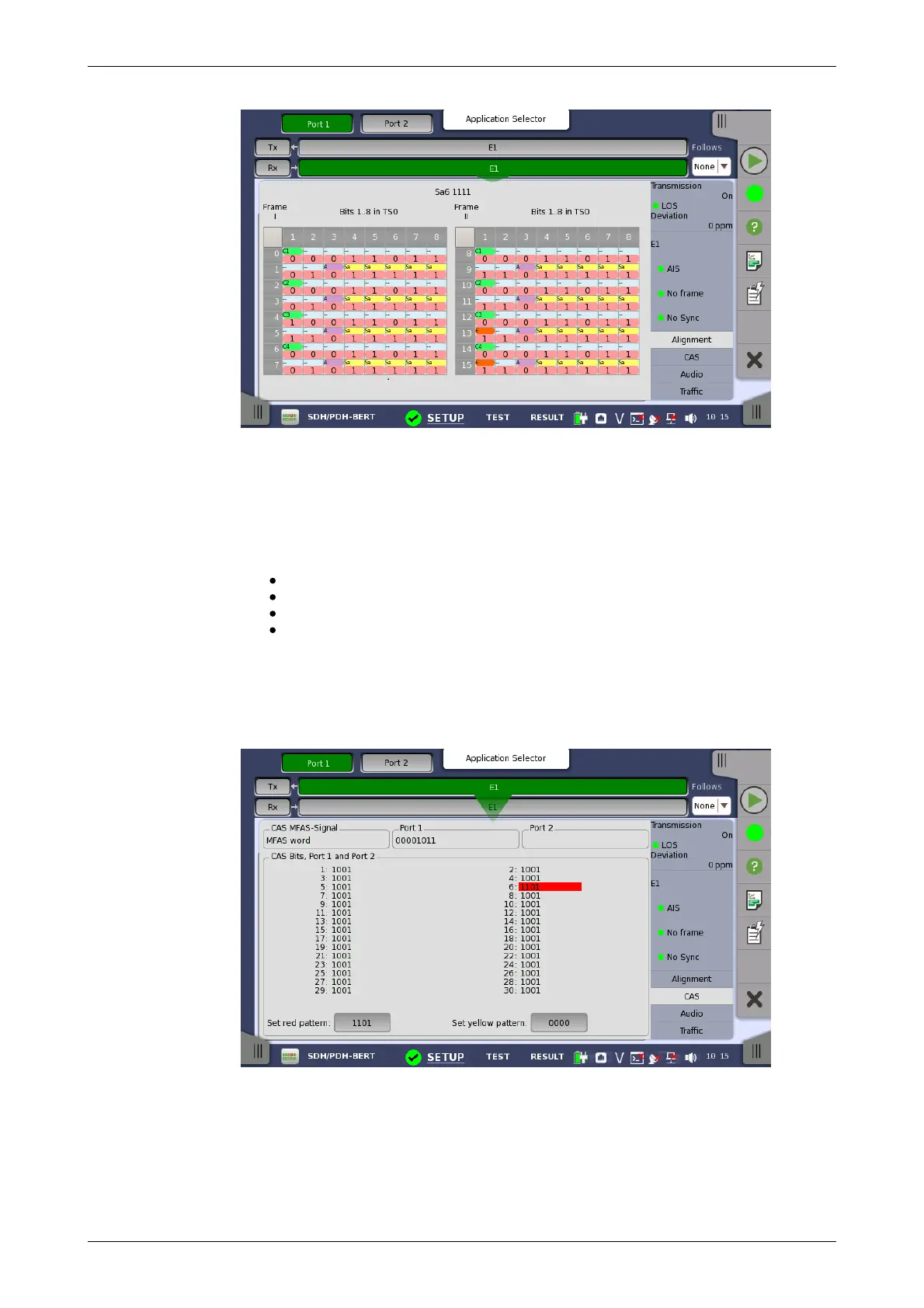
This screen provides information on the frame alignment when available.
The frame alignment information includes the 16 first FAS/NFAS words of the
CRC4 multiframe.
If multiframe is not available, the frame information will show 16 FAS/NFAS
words in sequence.
The following color indicators are used:
Green: Cyclic Redundancy Check bits
Orange: Bits used to indicate received faulty sub-multiframes
Purple: Remote alarm indication
Yellow: Spare bits reserved for national use.
5.3.3.5 CAS
Touching the CAS button in the status area of the Ports Setup screen
displays the status shown below.
This screen gives information on the CAS (Channel Associated Signaling)
signaling when available. It displays the state of the four signaling bits in both
directions for all 30 channels. Activity is indicated with bold characters.
CAS MFAS-Signal
This field shows the status of the CAS MFAS-Signal.
Port1, Port2














 To Next Page