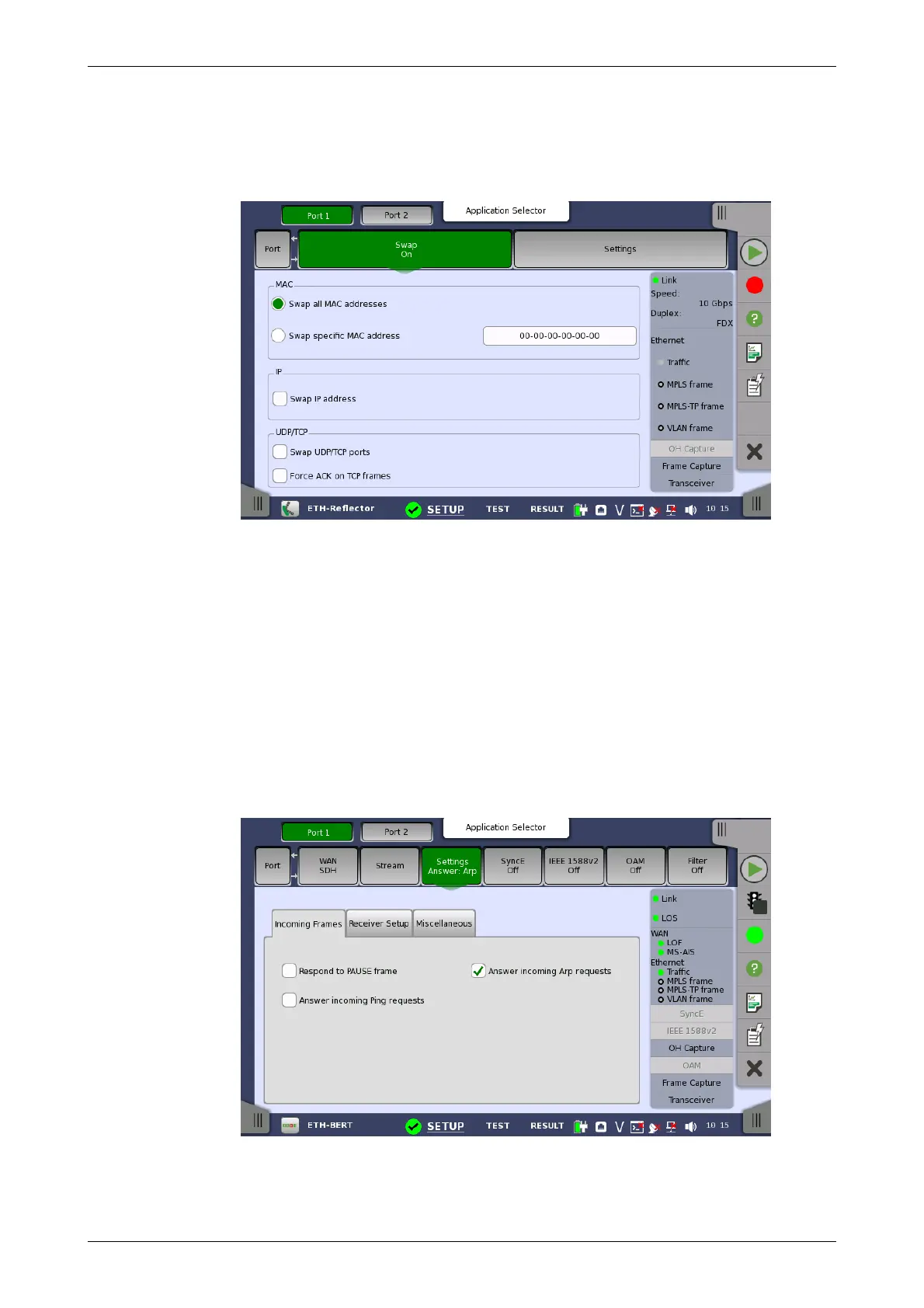
6.1.2.3 Swap
Touching the Swap button in the navigation area displays the following
screen. Swap button appears in Reflector application.
This screen is where you configure the traffic loop by specifying how
addresses and/or ports are to be swapped and reflected.
Selecting Swap all MAC addresses will transmit/reflect all received frames
with their MAC addresses swapped. Use Swap specific MAC address to
swap and reflect only the frames with a specific MAC address.
The IP addresses and UDP/TCP ports may also be swapped inside the
reflected frames. Additionally, the ACK flag may be forced set inside
reflected TCP frames.
6.1.2.4 Settings
Touching the Settings button in the navigation area will display the screen
shown below.
The Follow button appears when the Port 2 settings can follow Port 1.
This screen allows you to specify how the Network Master handles incoming
frames on the currently selected Ethernet port. It can also be used to inspect
the current status of the selected port.














 To Next Page