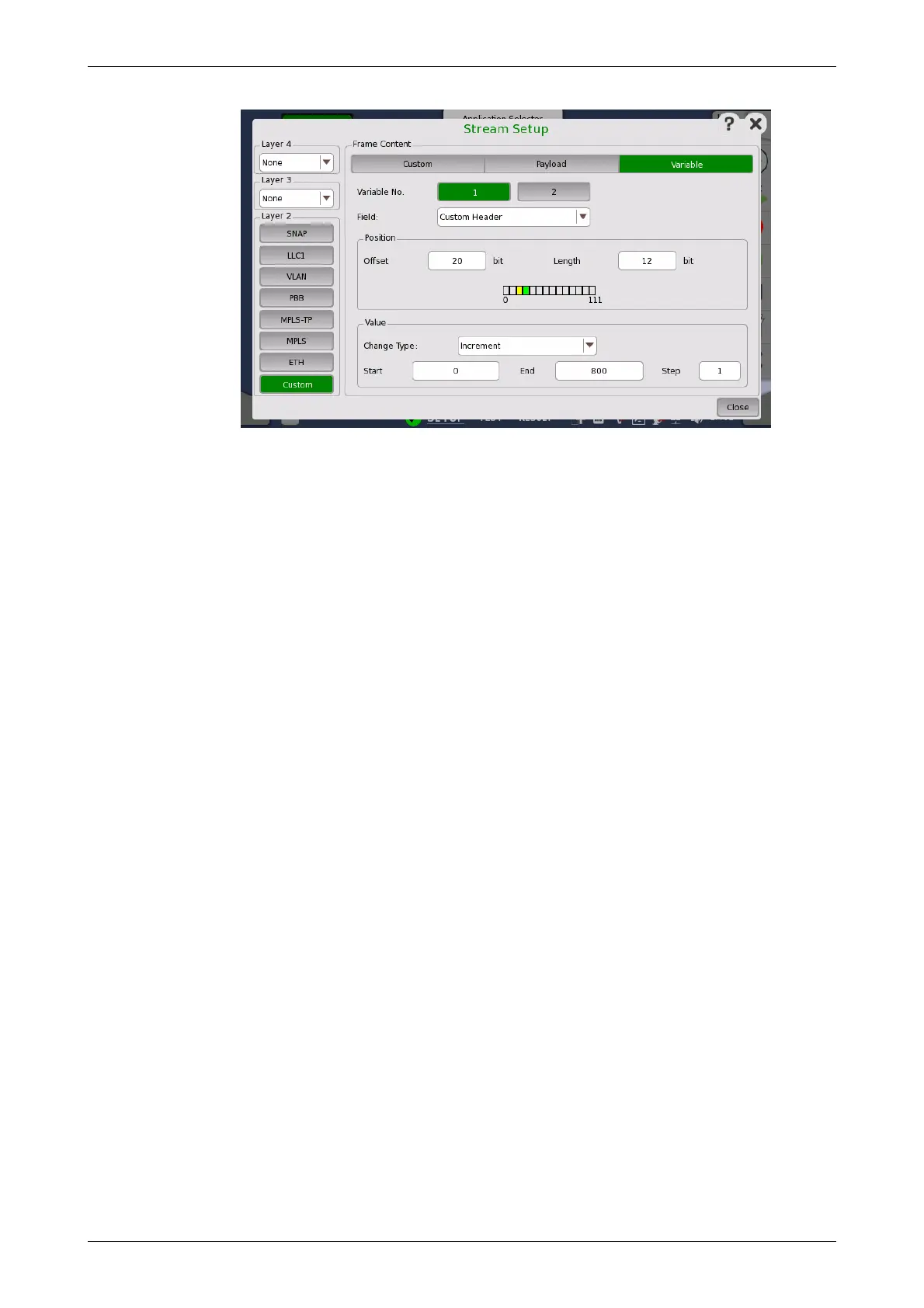
Variable No.
Select which of the two variables you want to define.
Field
Use the drop-down menu to select the type of field. Note that the contents of
the drop-down list depends on which protocol layers are currently chosen
for the Ethernet frame.
Position
Allows you to specify a bit position and bit length for the variable by Offset
and Length field. The position of a variable is shown in green. 'X' means four
bits.
When Custom button in Layer 2 is green, row of boxes appears. A box
indicates eight bits.
The part in green shows that all bits are variable. The part in yellow shows
that partial bits are variable.
Value
Use the Change Type drop-down menu to specify how the variable will
change: Increment, Decrement or Random.
Specify Start and End values for the variable, as well as the number of
Steps.














 To Next Page