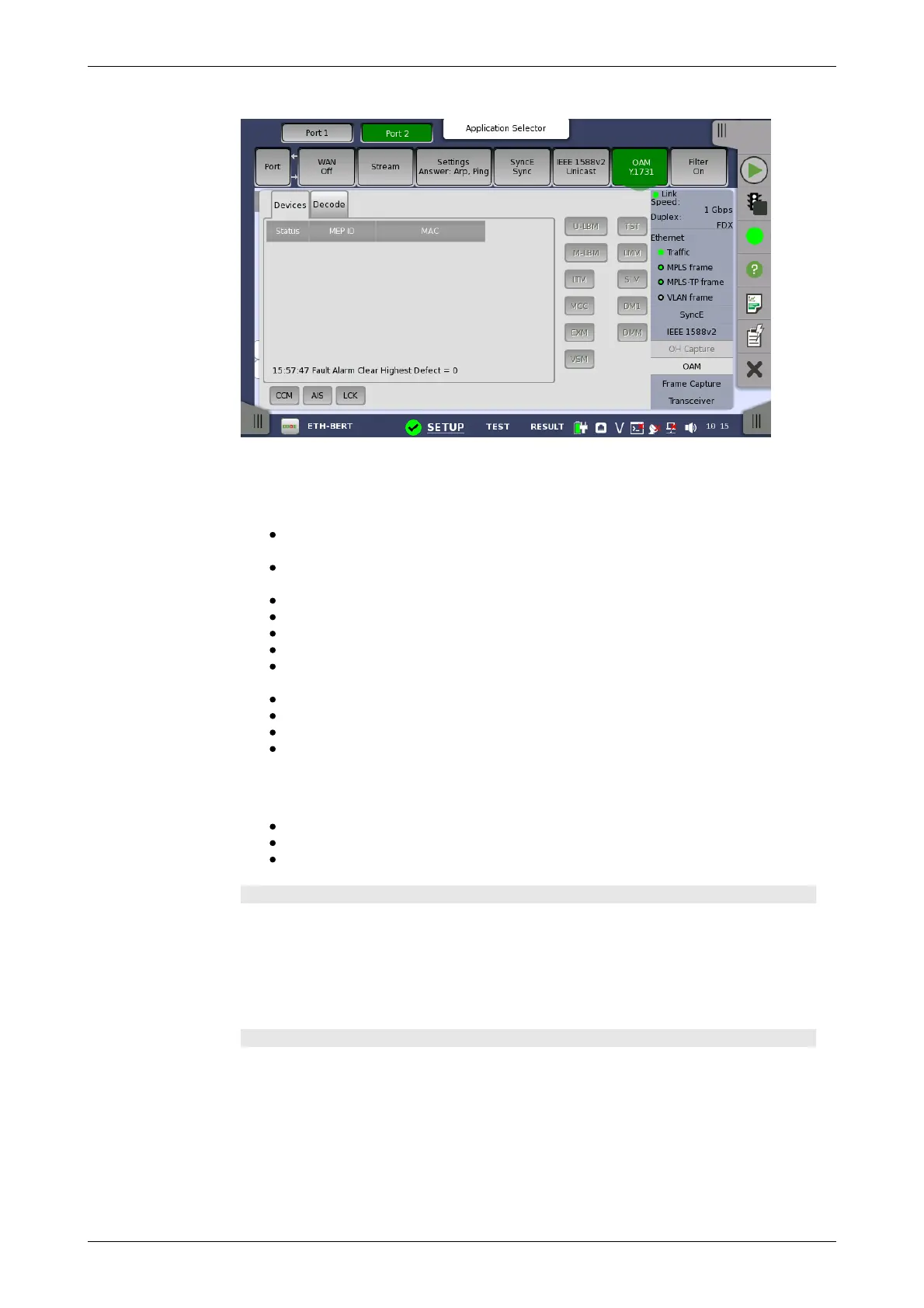
Y.1731 status
information
Message buttons
Allows you to send messages either to a remote MEP ID or to a unicast MAC
Address.
U-LBM: Data-path integrity to/from the far-end to/from one address
(unicast).
M-LBM: Data-path integrity to/from the far-end to/from multiple
addresses (multicast).
LTM: Enumerate and identify all hops between two end points.
MCC: Maintenance communication channel message.
EXM: Experimental message and response.
VSM: Vendor-specific message and response.
TST: Test message used for Bit Error Rate measurement and /or
throughput measurement.
LMM: Determine packet loss.
SLM: Determine frame loss.
DM1: One-way delay measurements.
DMM: Propagation delay between two end points.
Fault buttons
The fault messages are sent when the button is active.
CCM:Continuity Check Messages.
AIS: Alarm Indication Signal.
LCK: Locked Signal Function.
Devices tab page
Shows the current status of the devices.
The outer circle of the colored Lamp in the Status column represents the
CCM status (green means that CCMs are received from that RMP, red means
no CCMs are received). The inner circle indicates whether the RDI bit in the
CCM frame is set (red) or not set (green).
Decode tab page
Shows extra information about the various frame types.
6.1.3.8 Frame Capture
Touching the Frame Capture button in the status area of the Ports Setup
screen launches the screen shown below.














 To Next Page