Refreshing
information
Displaying
detailed
information
tHEC correctable: type Header Error Check Correctable
tHEC uncorrectable: type Header Error Check Uncorrectable
eHEC correctable: extension Header Error Check Correctable
eHEC uncorrectable: extension Header Error Check Uncorrectable
Invalid GFP frame: Invalid Transport Generic Frame Procedure Frame
Superblock CRC: Superblock where CRC error occurred
CSF signal: Client Signal Fail
CSF sync: Client Signal Fail synchronization
FCS error: Frame Check Sequence error detected
CMF signal: Client Management Frame
CMF sync: Client Management Frame synchronization
SSF: Server Signal Failure
PTI Mismatch: Payload Type Identifier Mismatch
UPI Mismatch: User Payload Identifier Mismatch
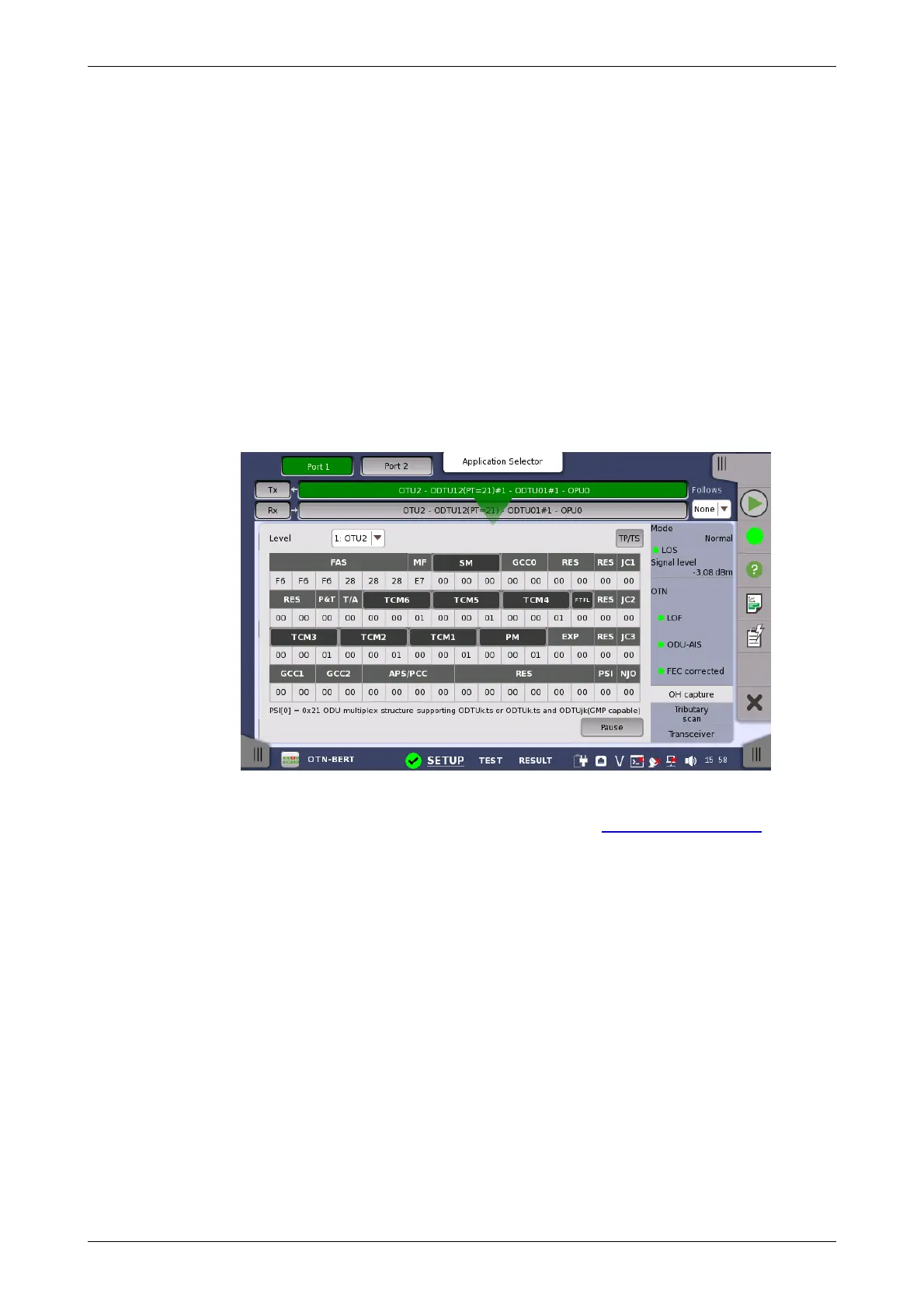
7.1.3.4 OH capture
Touching the OH capture button in the status area of the Ports Setup
screen displays the status shown below.
This screen shows OTU/ODU/OPU OH capture data for one frame at time.
Use the Level drop-down menu to select which multiplexing level to display.
For a description of the frame structure, see the Overhead Dialog box
section under the ports setup of OTN.
If higher order layer is mapped, TP/TS button appears. Touching TP/TS will
launch the dialog box displaying tributary ports/slots of both Tx and Rx.
Refresh once
When touch the Pause button, the Update button appears at left side of
the Pause one and information is not updated. Touching the Update
button will refresh the dialog information once.
Refresh continuously
When the dialog is open and touch the Pause button at refresh once
mode, information is updated continuously.
Detailed overhead byte information can be accessed by touching the name
of a specific byte. This will launch a separate dialog box containing a
description of and details about the selected byte.














 To Next Page